Taply Restaurant POS
For iPad
The main POS app for your restaurant counter.
Requires a Taply Restaurant account.
iPad point of sale
Bring photo menus, modifiers and the check together on a familiar landscape iPad.
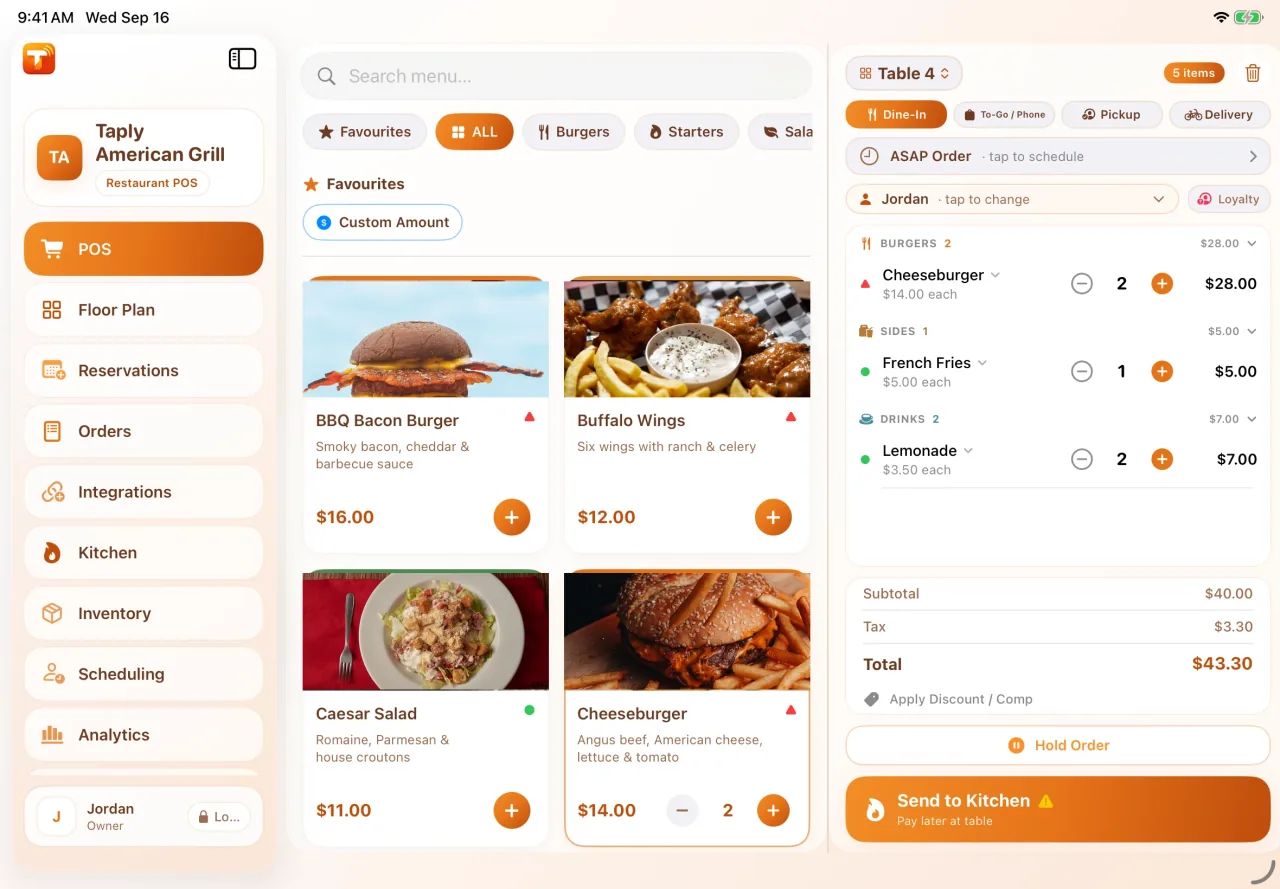
Organize the menu around your service and keep order details close to the people taking them.
Use product photos and categories to help the team find the right item.
Capture modifiers and order notes with the item they belong to.
Plan the path from the POS to your kitchen and guest-facing tools.
Built around your workday
Counter service, tables and takeout have different needs. Bring your menu and everyday order flow to a demonstration.
Explore it in a personal walkthroughReview item and modifier setup.
Choose the devices your staff will use.
Confirm kitchen and receipt destinations.
Test the guest-facing checkout layout.
Plans & availability
Taply Restaurant uses compatible iPads. The devices and features included depend on your plan.
THE TAPLY APPS
Download the app for your device and connect it to your existing Taply setup.
For iPad
The main POS app for your restaurant counter.
Requires a Taply Restaurant account.
Taply Restaurant uses compatible iPads. Taply Floor can use compatible iPhone or Android phones on Ultra and Enterprise. Bring your exact device, printer and reader models to the demo so we can confirm your setup.
No. You can bring compatible devices or choose a supplied setup. Hardware and software are separate. Ask for an itemized quote with the devices and accessories you need.
Bring sample exports from your current system. Review which fields can be moved, any cleanup and the import cost with us before choosing a launch date. Keep a copy of your original records.
Practical guides and product details for your restaurant.
Map preparation areas, device placement and the path an order follows.
Explore the guide Plans & equipmentReview software, compatible equipment and the costs to discuss.
Explore the guide Product overviewSee the POS, kitchen, floor and guest tools in one product tour.
Explore the guideBring your workflow, equipment and questions to a personal product walkthrough.
Request a demo