Product-specific reporting
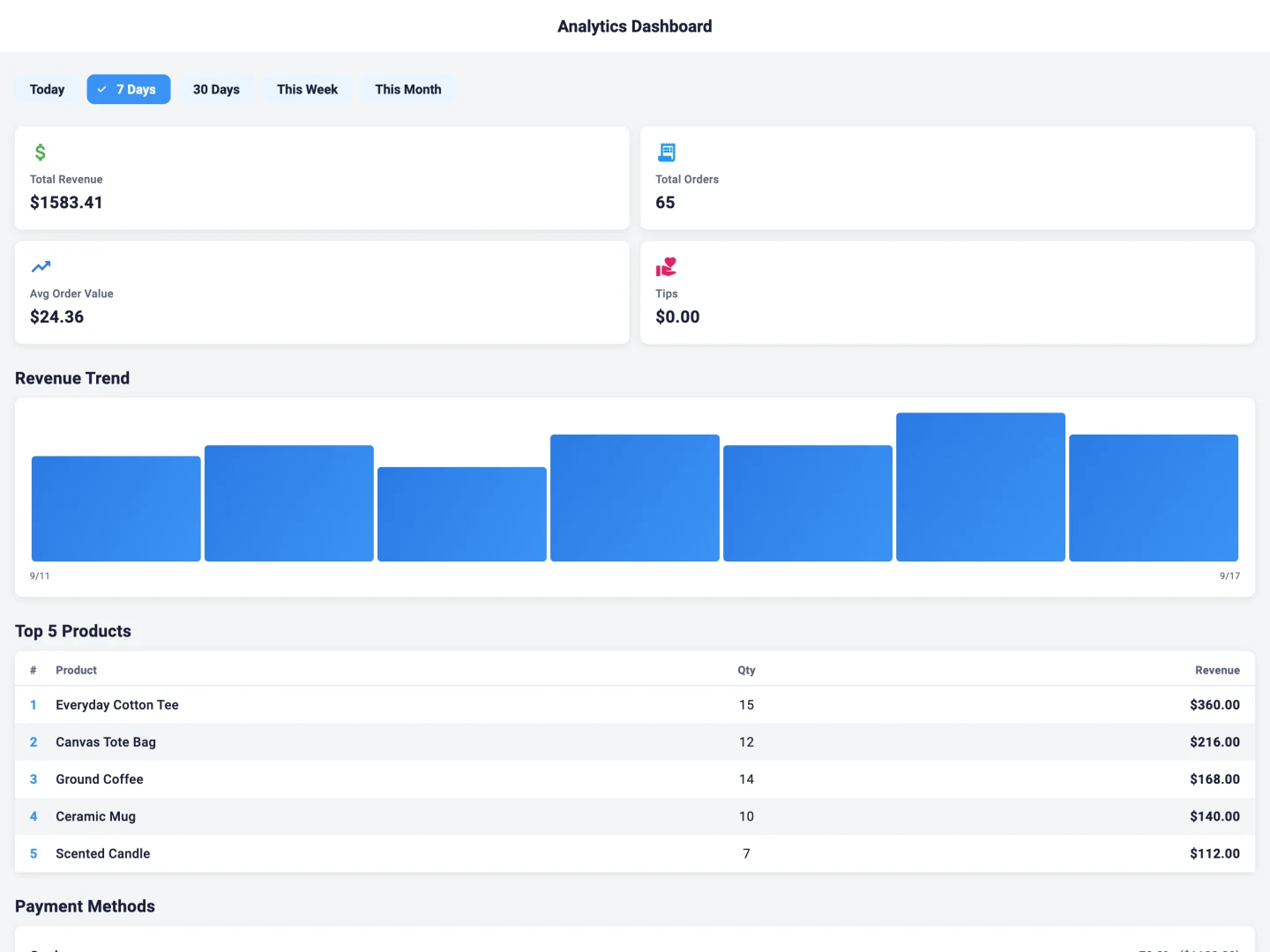
Review the sales, stock or station information available in your chosen product and plan.
CONNECTED BUSINESS TOOLS
Explore the owner workspaces behind Taply Restaurant, Retail and Station. Review the information your business needs in the right product context.
Made for your kind of store.
The counter needs a clear next action. The owner needs context. Choose the product that connects those responsibilities for your business.
Review the sales, stock or station information available in your chosen product and plan.
Use the published Restaurant, Retail or Station login to reach the correct business account.
Confirm which tasks need an internet connection and what your team should do during an interruption.
Different workdays deserve different tools.
Menus, orders, kitchen preparation and the guest’s checkout. Explore the restaurant product and its equipment options.
Explore RestaurantProducts, inventory, purchasing and the counter. Explore the retail workspace and supported hardware.
Explore RetailRunning a fuel and convenience business? Explore the dedicated back office and its supported site connections.
Explore StationPLAN YOUR SETUP
A few practical notes make the walkthrough more useful. Start with your equipment, people and daily routine.
Prepare for your demoUse the product login chooser to open the published Restaurant, Retail or Station owner portal. Each product has its own destination; this marketing website does not collect your dashboard password.
No. Connectivity requirements vary by product, task and payment setup. Review the documented fallback for your exact workflow before relying on it during an outage.
Describe your locations and account structure in the demo. Group capabilities, permissions and plan requirements differ between Restaurant, Retail and Station.
Choose a product and bring your questions to the Taply team.
Request a demo