iPhone & Android
Use compatible phones with the Floor app.
Taply Floor · Handheld Restaurant POS
Take the menu, table and order details into the room. Give your floor team a dedicated workspace on the phone in their hand.
Stay close to the table
A question about the menu. A change to a dish. The next guests arriving. Keep the useful details close while your team looks after the room.
A focused handheld workspace, alongside your main Restaurant POS.
Use compatible phones with the Floor app.
Keep table context close to the order.
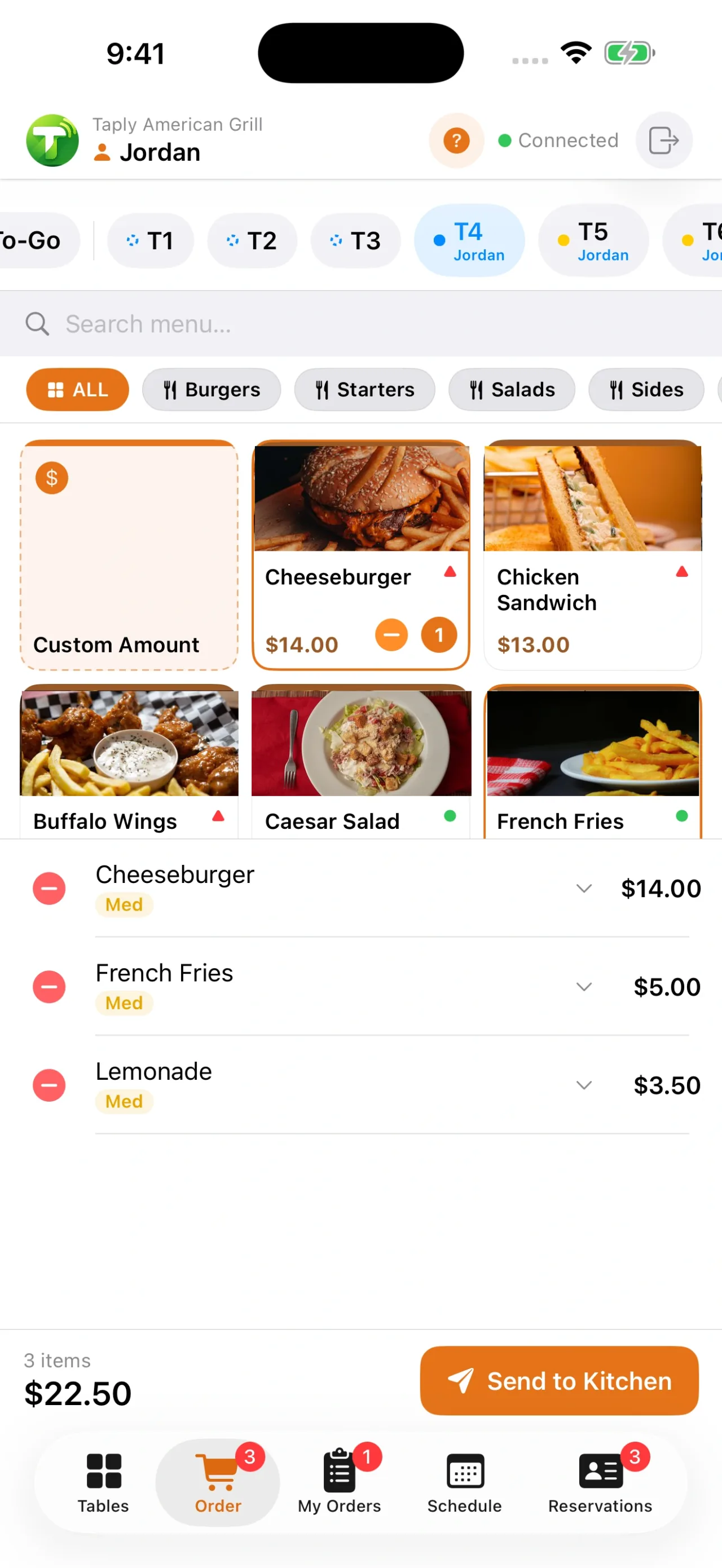
Capture item choices and preparation notes.
Bring active orders and the next handover together.
Inside Taply Floor
Explore the actual iPhone interface, from the first table to the next shift.
01 / 05
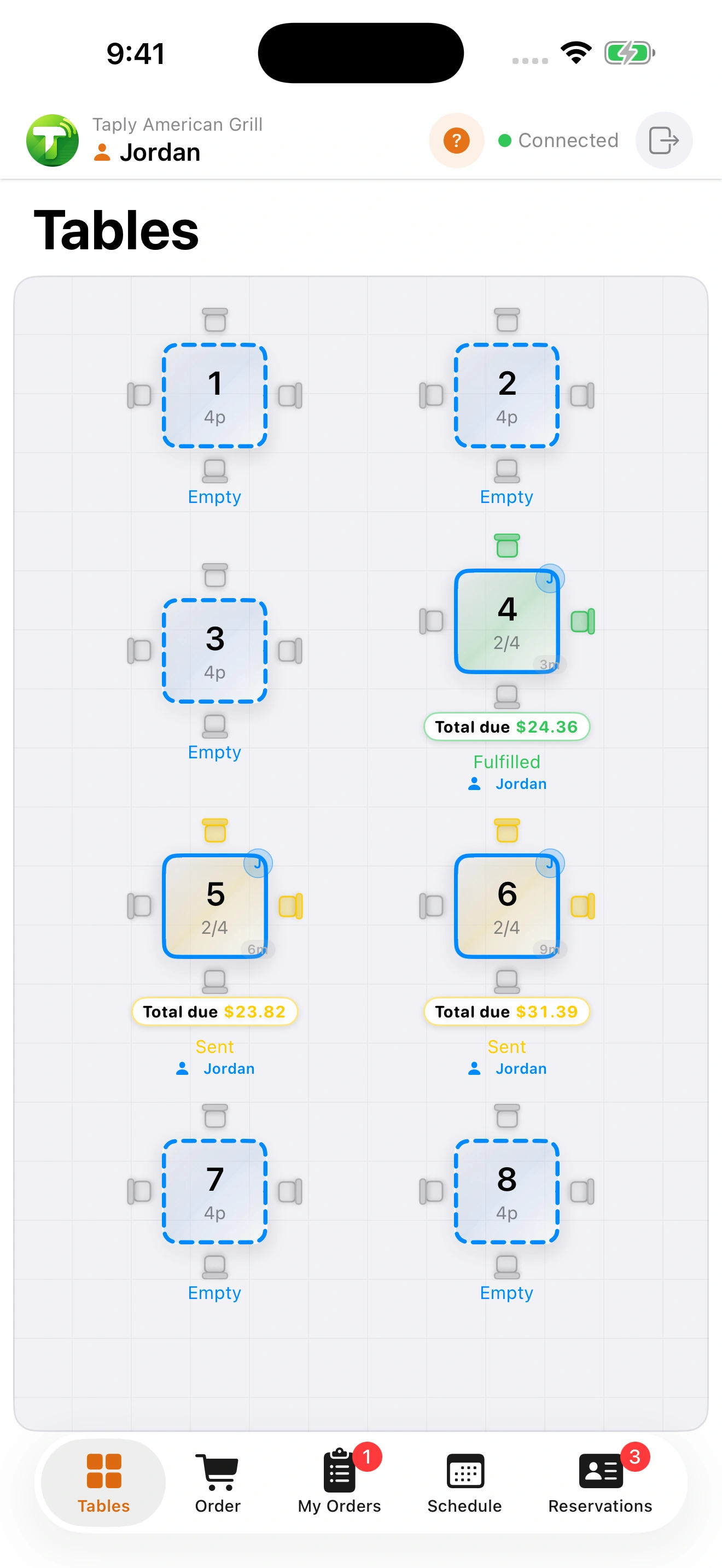
Find the table, see its service state and keep the guest’s place in the room connected to the order.
iPhone app capture shown. Android is also available; the interface can vary by device and app version.
Front of house. Back of house.
The counter, floor and kitchen have different jobs. Give each team the view it needs, with the order details connecting the handover.
The order starts
with the guest.
The details arrive
with the dish.
The team sees
what’s ready.
THE LAST MOMENT MATTERS
Payments at the table
Bring the final step into the service. Explore Tap to Pay on eligible phones, or the supported reader setup for your restaurant.
Tap to Pay depends on the device, operating system, supported region and merchant activation. Confirm compatibility in your walkthrough.
Explore the payment workflowMake it work for your restaurant
Bring your team, your menu and your service into the walkthrough.
Review compatible phones and the way staff move around your room.
Check coverage, device connections and the steps for an interrupted service.
Walk through a demonstration order and the responsibilities at each handover.
Included with Ultra and Enterprise. Review device allowances, hardware and setup in your Restaurant quote.
Compare plansTHE TAPLY APPS
Download the app for your device and connect it to your existing Taply setup.
For iPhone & Android
Bring tableside ordering to your team's phones.
Pairs with your restaurant's Taply POS setup.
Taply Restaurant
Explore a handheld setup that fits the way you serve.
Book a personal walkthroughA handheld Restaurant workspace for your floor team. Bring tables, ordering, active orders, reservations and schedules to compatible phones while your main POS stays at the counter.
Yes. Use the App Store or Google Play links on this page. Confirm the supported operating system, device and app version during setup. The interface tour shows actual iPhone captures.
Capture item choices and notes while taking the order. Review menu configuration and the way those details reach the kitchen during your walkthrough.
Tap to Pay is available on eligible devices and payment setups. Compatibility depends on the device, operating system, supported region and merchant activation. Review your exact checkout flow and any reader requirements during setup.
Floor gives the team a handheld workspace alongside your main Restaurant setup. Plan staff access, devices, service areas and the network together.
Taply Floor is available with Ultra and Enterprise. Confirm your device allowance and the equipment each member of the team will use.
The reservation view keeps arrival times, party sizes and table assignments close to the floor team. Explore the dedicated Reservations page for the booking and host journey.
No. The tour displays existing app captures with demonstration data. Selecting a screen or enlarging it does not connect to a restaurant or create an order.
Keep exploring