Know where the next order belongs.
Organize your dining room around tables and service areas. Keep your team connected to the right check as guests move from ordering to payment.
At the counter. Out on the floor. Through the kitchen. Meet the Taply tools that bring your restaurant together.
Made for your restaurant.
Built around your shift.
Photo menus, modifiers and the check. Together on your iPad.
Actual Taply app screen · demonstration dataFrom your photo menu to the floor and kitchen. Give each person a clear view of what comes next.
Bring your menu to life with item pictures, categories and modifiers. Keep the check in view while your team builds orders, adds details and sends preparation to the kitchen.
Need a hand getting it ready? Taply can help with your menu, pictures and setup as part of guided onboarding.
Organize your dining room around tables and service areas. Keep your team connected to the right check as guests move from ordering to payment.
Work with dine-in, takeaway and pickup workflows from the POS. Keep order details and preparation instructions clear for the people handling each check.
Route kitchen tickets by category or item to the printers that need them. Use the receipt builder for business details, logo, item lines and totals on guest checks.
Use an iPad or Android kitchen display to see tickets and manage preparation. Dedicated KDS is available on Ultra and Enterprise.
Give the kitchen a clear view of incoming orders on a mounted iPad or Android screen. Route printed tickets by category or item to the stations that prepare them.
Dedicated KDS software is included with Ultra ($29.99/location/month) and Enterprise. Mounts and installation are quoted separately.
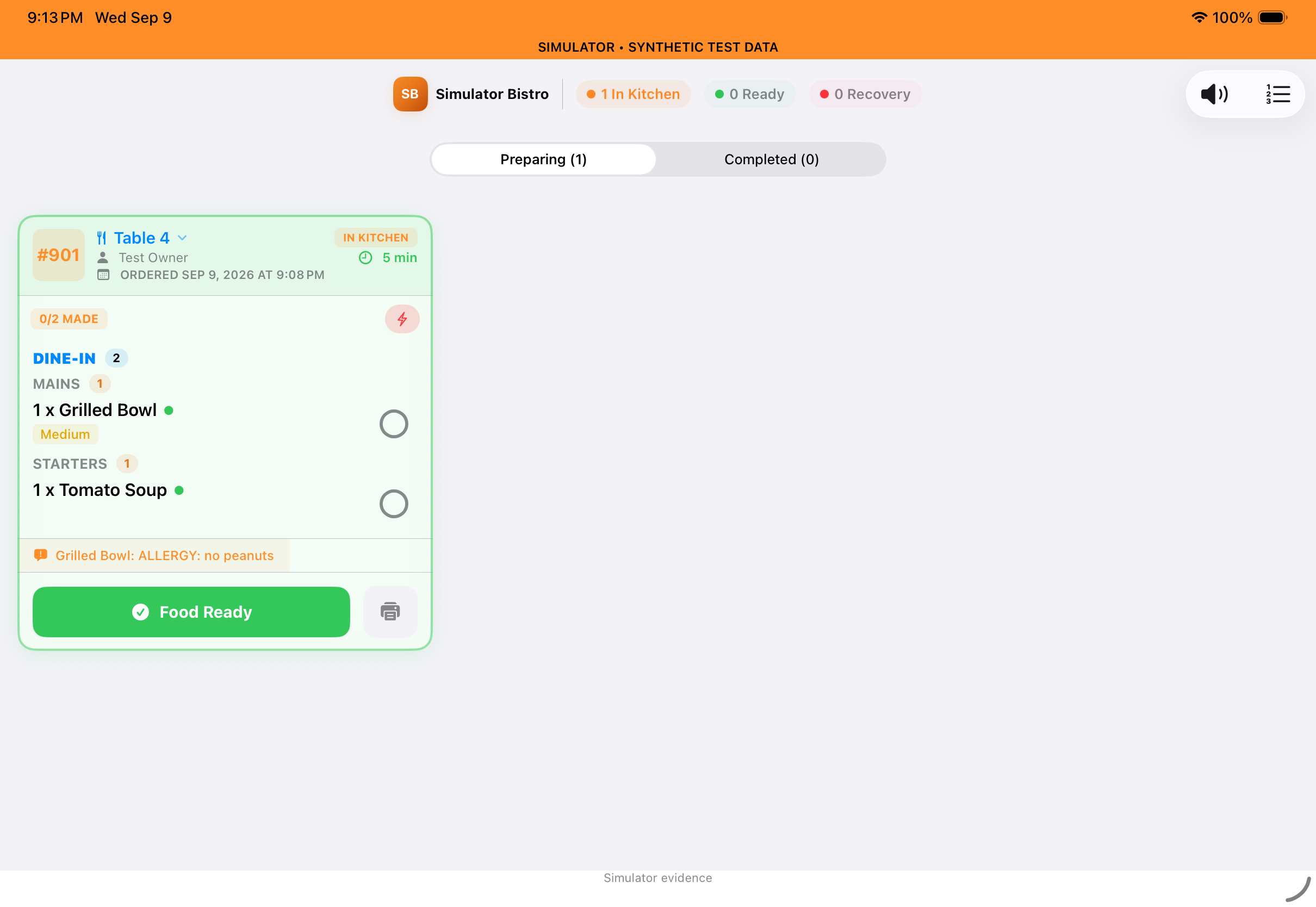 Taply interface previews · demonstration data
Take orders and accept eligible Tap to Pay payments on compatible iPhone and Android phones your team already owns.
Free to download. Ready for your floor.
in upfront handheld purchases avoided.
Included with Ultra and Enterprise. Ultra includes one main register plus five connections, including one Taply Floor app. The display connection supports either a customer display or a KDS screen. Enterprise offers custom device limits. Software subscriptions and payment processing are separate.
Taply Floor connects to your restaurant’s Taply Restaurant iPad. Tap to Pay eligibility depends on your phone, operating system, country and payment setup. We’ll help confirm compatibility.
From a phone at the table to an iPad at the counter. Give guests another way to explore your menu and place their order.
Guests scan their table’s QR code to open your menu in their phone browser, choose items and send an order to your team. Staff review it before sending it to the kitchen.
Turn a compatible iPad into a self-order station. Guests browse your photo menu, customize their order and pay by card. Paid orders go straight to the kitchen.
Keep the guest in the picture, choose the right reader and make your payment options clear.
Show the items and total on a separate customer-facing iPad. A shared view helps guests follow their order as your team prepares to close the check.
Build branded guest checks with Taply’s receipt builder, including your business details, logo, items and totals.
Use supported payment hardware, including Stripe M2, for in-person card payments processed by Stripe. Configure eligible full-check cash discounts from posted menu prices. Local disclosure rules, payment eligibility and processing fees apply.
Try the order-to-payment story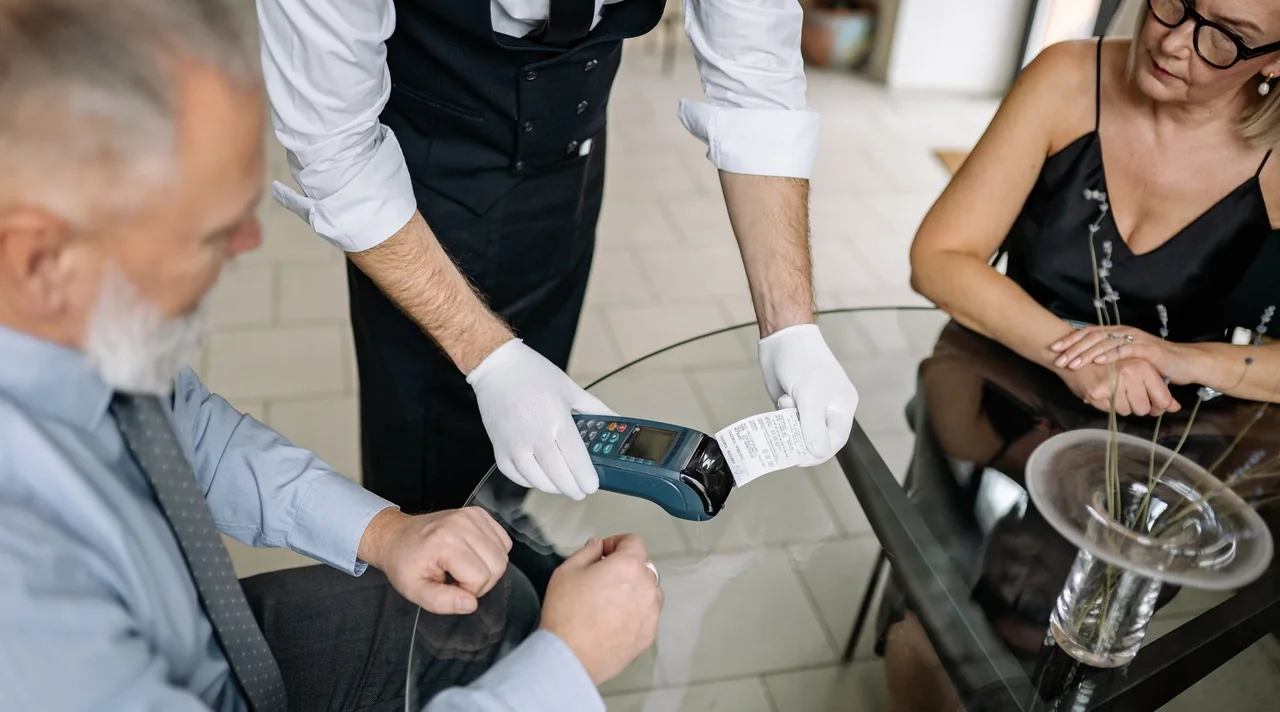
Keep your card price on the menu. Offer a clearly disclosed cash discount. Explore the difference with your own numbers.
Try one item, or an eligible check subtotal after other discounts.
Illustration in USD, before tax, tips and service charges. This does not change your restaurant’s settings.
Plan your pricing with usAmounts round to the nearest cent. The discount rounds on each eligible order subtotal. Combined orders can round separately; adding item discounts can differ.
A price difference, with clear expectations. These figures show what your guest pays before tax, tips and service charges. They are not your processing rates or a promise to recover card fees. Taxes are calculated under your configured rules.
This example assumes an eligible full-check cash payment. Split payments use posted prices. Any other order discounts reduce the eligible subtotal first. The 15% discount limit is Taply’s software limit, not a statement of legal eligibility. The menu-uplift example starts from zero existing uplift and changes the posted item price, not a fee added at payment.
Publish the card price clearly before purchase and disclose the cash discount on your menu, signage and checkout. Availability depends on local rules and your payment setup. Read Visa’s cash-discount guidance ↗
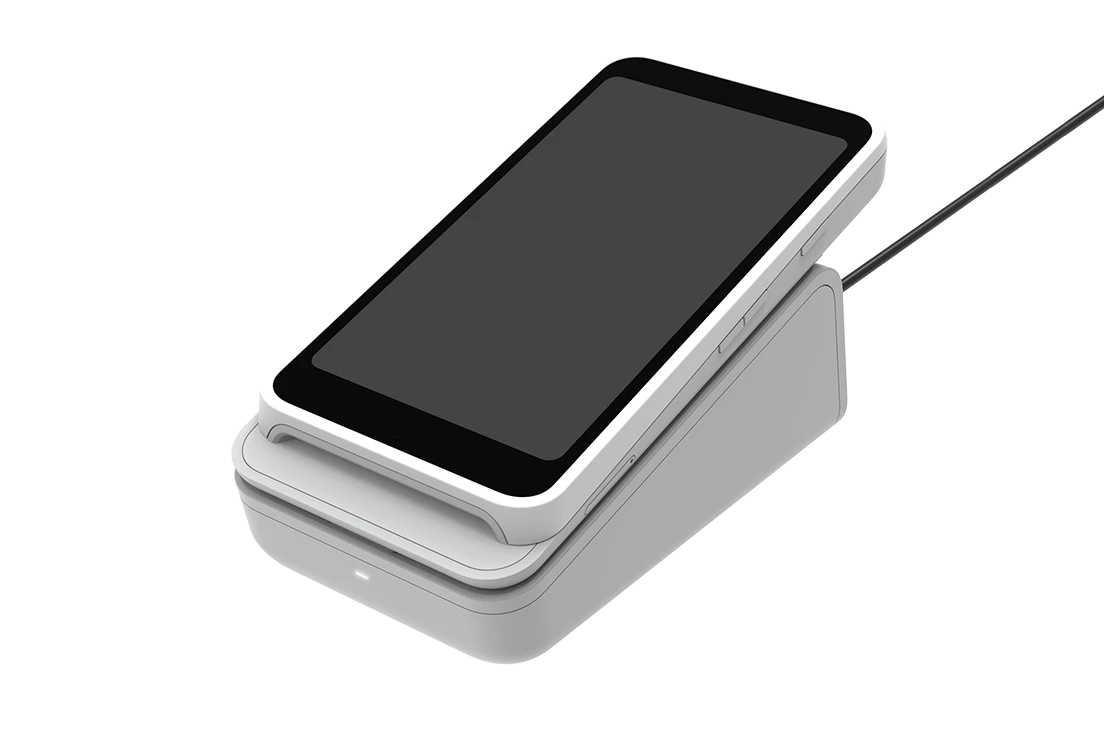
Optional Stripe Reader S710
With a configured S710, staff can enter an amount and take a card payment on the reader itself. Bring the payment back to the right ticket when Taply is available.
Internet required for standalone payments.
Explore the S710 optionRegister the reader, enable Standalone mode for your location in Stripe, then restart the reader.
Staff enter the check total and a ticket reference, then accept the card payment on the S710.
When Taply is available, review reader payments and match any outstanding payments to their tickets.
Optional reader and dock quoted separately. Payment processing and connectivity charges may apply. No monthly device financing through Taply.
Stripe M2 requires a compatible paired device and does not offer this standalone mode.
An eligible Stripe account, registered reader and configured location are required. In Taply’s current setup, enable Standalone mode in the Stripe Dashboard and restart the reader. Taply records your confirmation; it cannot verify that Dashboard setting.
Standalone mode needs an internet connection. It takes an entered payment amount. Record the itemized order and tax breakdown in Taply, then match the payment to its ticket. Reviewing and matching payments requires Taply’s cloud connection, and some payments need a manager’s review.
See the details behind the day. Bring reports, team controls and location settings into your routine.
Explore standard sales reports, or build your own with Enterprise.
Review net sales, order trends, menu performance and payment activity in one clear view.
See your lowest-selling items by quantity. Review sales and margin cues to decide what to promote, reprice or take another look at.
Analytics · Pro, Ultra and EnterpriseReview sales, refunds, tips and payment totals alongside cash-drawer differences. Work through your closing checklist, then export a PDF or print a Z report.
End of Day · Ultra and EnterpriseBeyond the counter
Review your team’s pay and connect daily sales to your bookkeeping.
Payroll calculations
Bring hours, overtime and POS tips into a pay run. Review each person’s earnings and deductions, then export the pay register for your accountant.
Ultra and Enterprise · enable payroll in settings.
Payroll uses your configured pay and withholding settings. Taply does not file payroll taxes.
QuickBooks Online
Bring daily sales and tax totals into QuickBooks Online for bookkeeping and tax preparation. Map your accounts, then post daily journals manually or on a schedule.
Connection and account mapping required.
Review account mappings with your bookkeeper. Journal posting supports your records; it does not file or pay taxes.
Configure tax locations and menu categories, review rates and export reports. Keep the settings that shape each check in view.
Taply helps calculate and report tax. Your business remains responsible for checking applicable rules, filing and remittance.
Give a catering service, market stall or event its own Revenue Center. Set the tax location, assign the iPad, route printing and keep sales attributed to that center.
Plan connectivity and device setup before service. Return with a clear record of the work beyond your restaurant.
Review group and location reporting, publish shared menus and manage access across your organization. Keep local availability, pictures and permitted pricing differences where each location needs them.
Use staff permissions and manager controls to organize access to sensitive actions. Configure your team’s roles during onboarding and review access as responsibilities change.
Bring your menu online, keep guests informed and connect an eligible delivery store.
Websites & customer messaging
A website that feels like your restaurant. Receipts and updates that keep your customers in the loop.
Restaurant website add-on
Give guests a website customized for your restaurant, with your branding, menu photos, opening hours and contact details. Connect it to online pickup ordering.
Email receipts
Send a branded digital receipt when a guest asks for one. Their purchase details stay easy to find, without another paper slip.
Twilio SMS add-on
Deliver text receipts and send promotional messages to customers who have opted in. Use your restaurant’s approved SMS sender, directly through Taply.
Mailchimp add-on
Automatically sync consenting customers, tags and opt-outs to your restaurant’s Mailchimp audience. Create and send campaigns in Mailchimp.
Uber Eats integration
Manage your delivery menu, prices, promotions, hours and availability from the Taply app. Bring an eligible Uber Eats store into the same workflow as your restaurant.
Your guest places an order.
The order enters your workflow.
Prepare it. Mark it ready.
Made for the everyday
Keep your Uber Eats storefront up to date, then bring delivery orders into Taply’s kitchen workflow. Send ready-for-pickup updates when the kitchen is done.
Update items, photos and modifiers in Taply. Preview and publish the menu your guests see on Uber Eats.
Set delivery markups or individual price overrides in the app, then publish your Uber Eats prices.
Create eligible offers with dates, audiences and budgets. View and end promotions created through Taply, right in the app.
Edit your business hours, then choose Update Hours on Uber Eats to publish them. Review any current menu changes included in the update.
Mark items sold out or available again in Taply and sync those changes to your connected Uber Eats menu.
Uber Eats approval and store activation are required. We’ll confirm availability for your restaurant during onboarding.
Setup includes signing in with your Uber Eats merchant account, selecting the correct store, reviewing your delivery menu and pricing, and verifying an order through the connected workflow. Delivery integrations are included in Ultra and Enterprise; features depend on the capabilities enabled for your Uber Eats store.
Publishing replaces your Uber Eats menu. Keep menu changes in the agreed system after activation, and use Uber Eats Manager for courier, refund and account matters. Updating your business hours in Taply does not automatically publish those hours to Uber Eats.
Taply’s promotion controls cover offers created through the integration. Promotions created directly in Uber Eats Manager stay there. To change a promotion’s terms in Taply, end the offer and create a replacement. Promotional discounts are funded by the merchant, subject to the selected offer terms.
Uber’s integration and activation requirementsYour menu. Your team. Your way of serving. Let’s plan the move to Taply around the restaurant you already know.
Bring your menu and the item pictures you have. We’ll agree the help you need with items, prices, modifiers, categories and tax settings.
A setup scope agreed with youReview compatible devices and payment setup together. Plan category-based printing, kitchen displays and an optional customer display around your service.
An equipment and service planInclude a staff walkthrough in your onboarding plan. Follow an order from the counter or server’s phone to the kitchen, guest check and configured payment flow.
Time to get familiar with TaplyAgree a go-live plan around your readiness, equipment and payment activation. Review the checklist together and know where to reach us when you need help.
A clear next step for your launchWe’ll agree the hands-on assistance, any setup costs and the launch plan before work begins. Feature availability depends on your plan, devices and payment eligibility.
Standard reports start with Pro. Custom reports and dedicated KDS are included with Ultra and Enterprise. Multi-location organization tools are available with Enterprise, billed per location.
Compare plans & equipmentBring your menu, service areas and equipment questions. We’ll help connect the pieces and plan your launch.
Screens show Taply app interfaces with demo orders. Hardware visuals are illustrative configurations. Feature availability depends on your plan, devices and payment setup.