Retail POS system & payments
A better day in store.
From open to close.
Keep your checkout, inventory and customers connected. Bring the details at the counter and the work behind it into one clear operating view.
Click, build a basket and tap. No sign-up or card details.
Explore Retail with a guided demo. We’ll help you plan your store’s setup.
Explore the software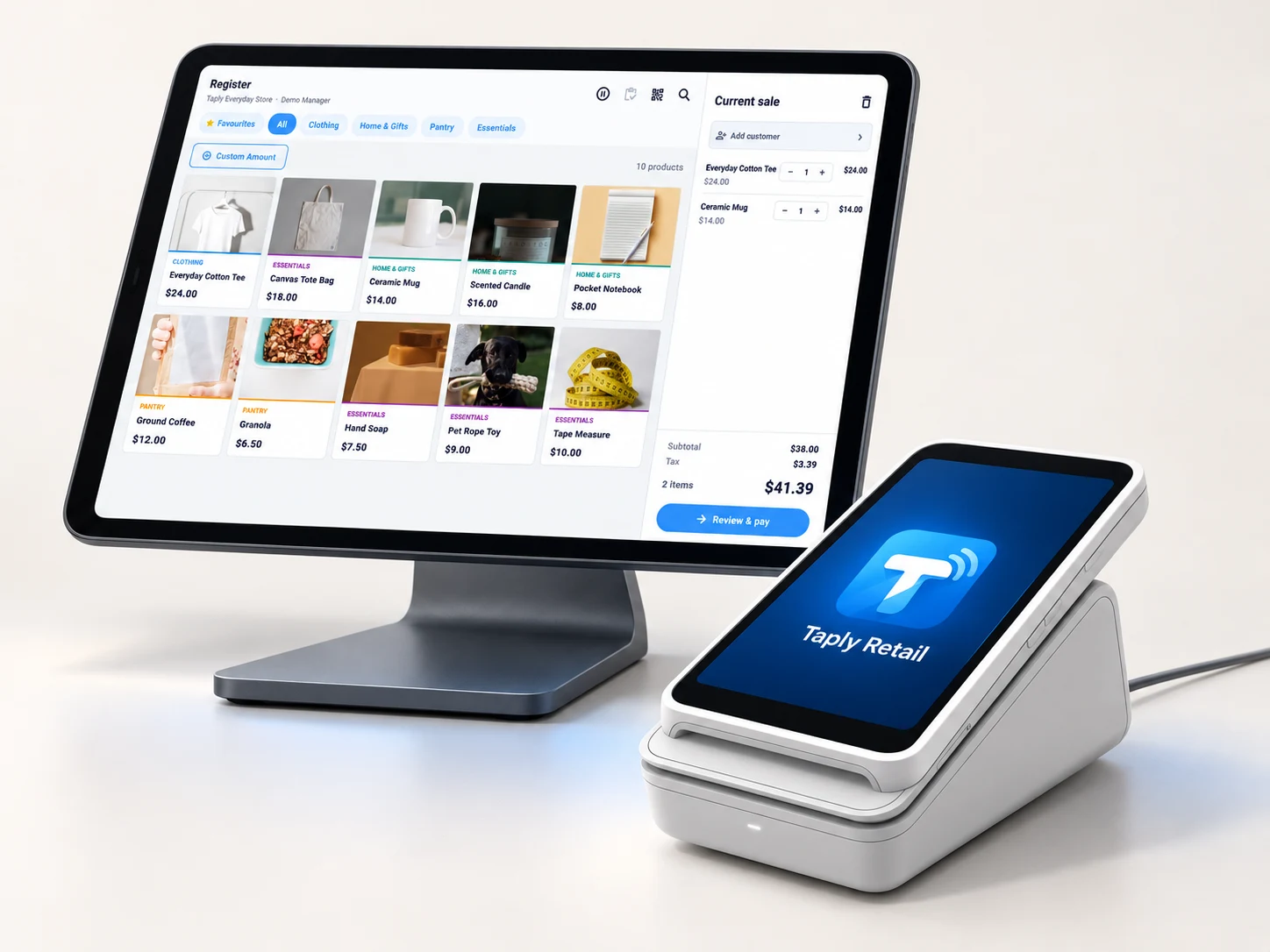
THE TOOLS THAT MAKE THE DAY
Good service starts with the right tools.
From a product on the shelf to the basket at checkout. Meet the tools behind your shop.
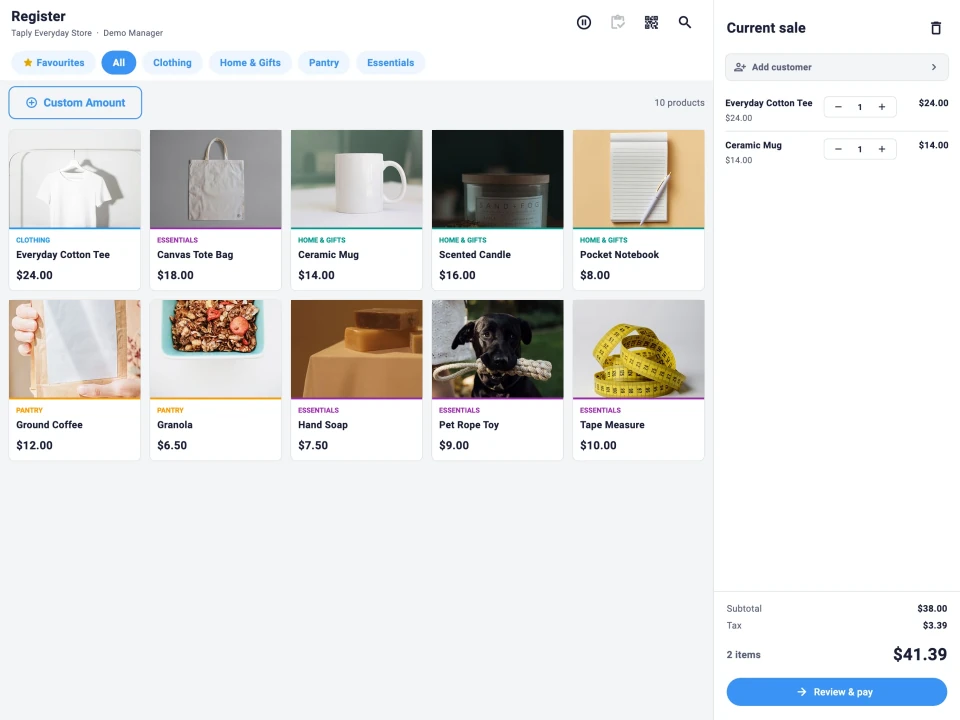 Explore the register
Checkout
Bring the product and basket together.
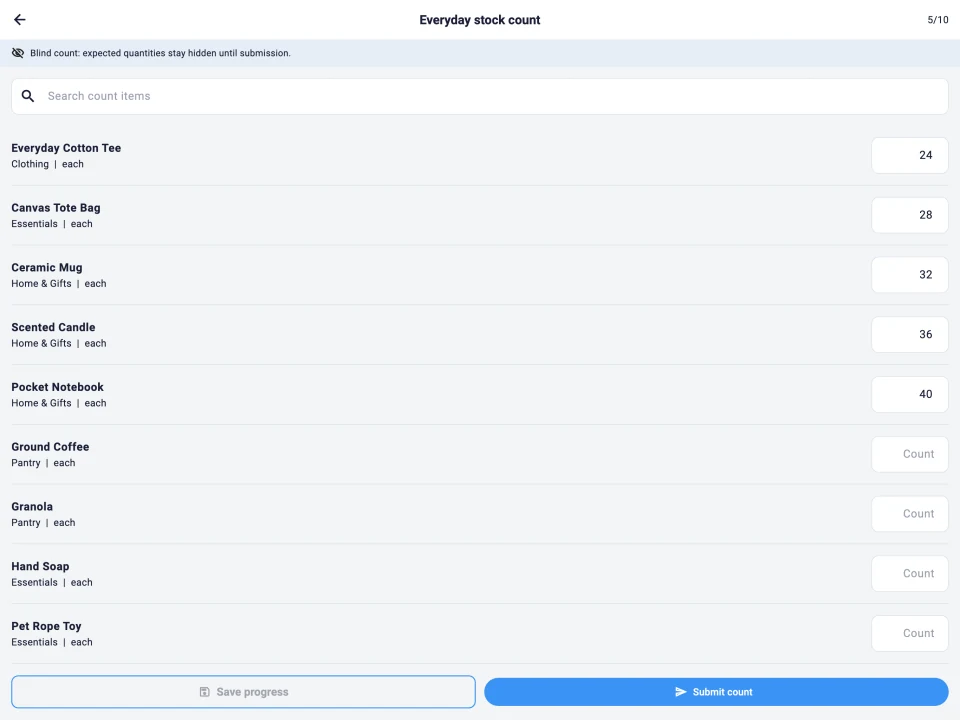 Explore inventory
Stock counts
Give every count a product and a quantity.
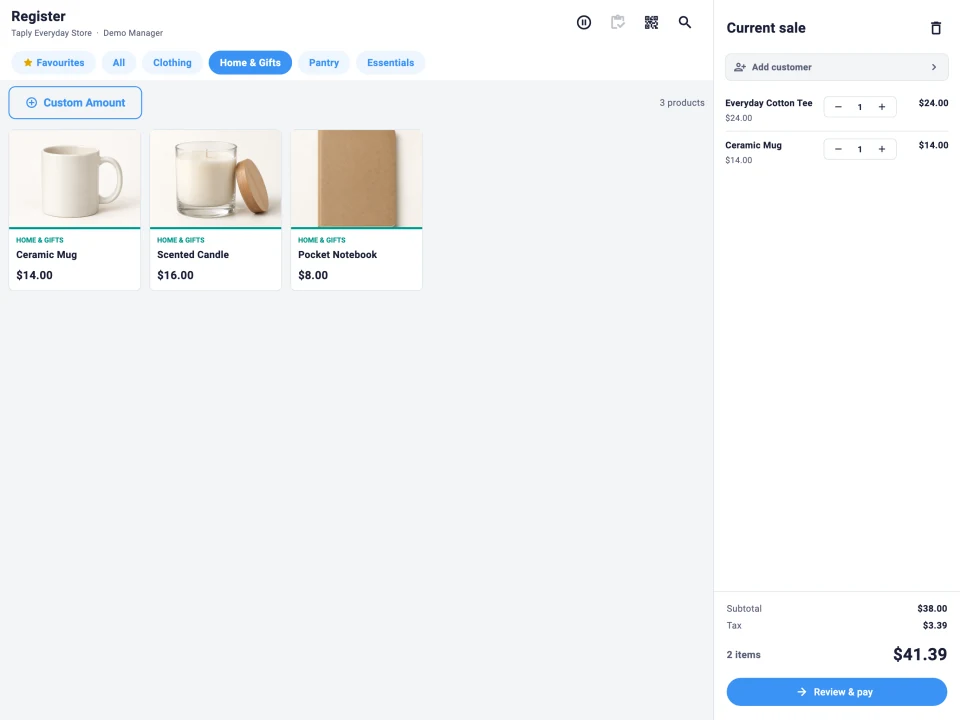 See catalog tools
Product catalog
Organize the things your customers come for.
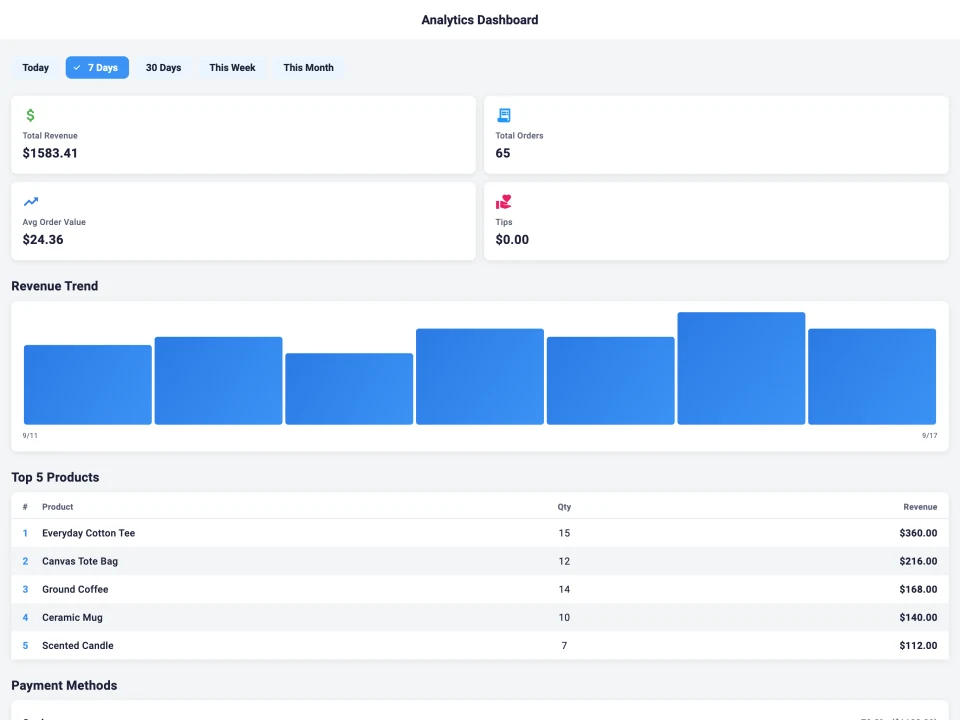 Explore reporting
Sales reports
See what sold, then ask the next question.
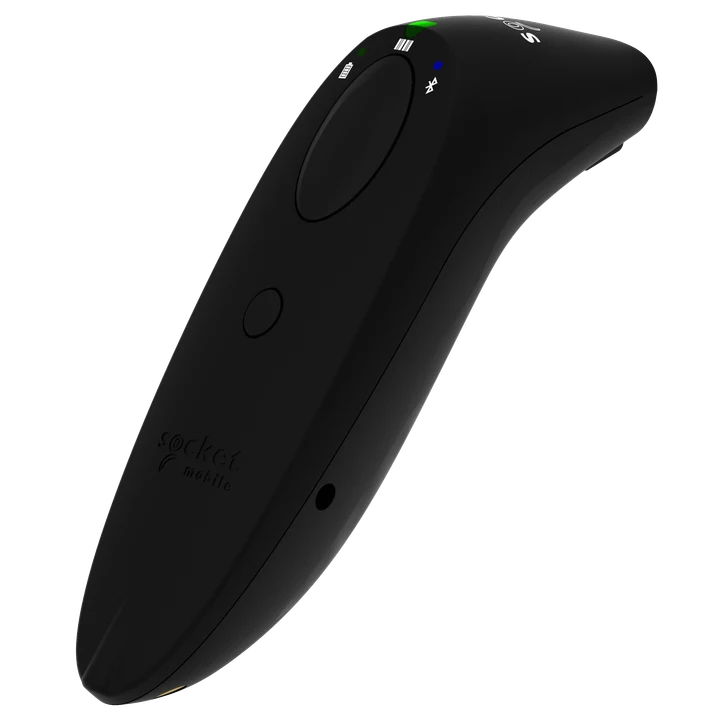 Review hardware
Counter hardware
Match your checkout to the way you sell.
Supported hardwareTry an AI exampleAI insights
A scoped question. A useful follow-up.
Report screen · AI demo belowApp screens use demonstration data. Features, connections and hardware depend on the selected plan and setup.
Which products sold the most this week?
A useful answer starts with a focused question.
Choose a business question you can check against a specific report.
FROM QUESTION TO CONTEXT
Understand the answer.
Decide what comes next.
Walk through a scoped example from Taply’s existing AI demos.
Scroll to follow all four steps
Interactive illustration with fixed fictional data. No AI request is made and no business records are changed.
Taply Retail
Made for the moments
in your working day.
Choose a situation. See the tool. Follow the next step.
Scroll to explore · hover or select any step
ON THE SHOP FLOOR
Is there enough stock for tomorrow?
Start with the stock list. Check the item and recorded quantity before deciding what to count or reorder.
Next: review the count and open purchasing work.
Explore inventoryYOUR TURN AT THE COUNTER
Go on. Try it yourself.
Choose a few favorites. Review your basket. Make the final tap. Taply RetailInteractive demo
01 / Build your basket
Click a product to start your basket.
ALL ABOARD TAPLY RETAIL
Different stores.
One great journey.
From your first customer to your next chapter. Find the Retail experience that fits your store.
Hover for a preview. Click to choose your stop, then explore.Tap a category name inside the track, then explore.
Apparel
Find the right fit for your store, from sizes to seasonal collections.
Explore ApparelPowered by Taply RetailMade for your kind of store.
Inside Taply Retail
Get to know your next point of sale.
Take a closer look at the actual software, from the first sale to the day’s review.
Find the right product.
Narrow the catalog by category while the customer’s basket stays in view beside it.
These are product screens with demonstration data. No sale or payment can be made in this preview.

Your store, in view
Retail software for the way your team works.
Give the everyday details a place to come together, from finding an item to reviewing the day’s sales.
- A familiar checkout
- Browse products by category, search by name or scan a compatible barcode. Keep the basket and customer in view.
- A clear picture of stock
- Work through counts, purchase orders and distributor receiving with the products you sell.
- More detail behind the day
- Review sales, margin, products and tender activity in the reporting workspace.
MULTIPLE STORES
Make the plan fit every location.
Review each store’s products, devices and operating requirements. Start the conversation with how your teams count, sell and close the day, and confirm the setup each location needs.
Explore multiple-store planning
Build around the essentials at your counter.
Explore the services, equipment and connections around Taply Retail. Review the requirements for the exact workflow you want to support.
Explore connections Stripe payments
- Barcode scanners
- Receipt printers
 QuickBooks Online
- Retail API access
- Retail webhooks
- CSV report exports
Taply Retail pricing
One plan. Room to grow.
Explore the software, optional equipment and setup for your store. Start with a 7-day trial.
Thinking about your next move?
Bring your current setup, your everyday workflow and the details you want to improve. Make the next conversation about your business.
Give your next chapter a great start.
See Taply Retail in a personal demo shaped around your store, products and daily work.
Talk to our teamFrequently asked questions.
Checkout hardware, product data and the costs to review before changing your store’s setup.
Talk through your setupCan I keep my tablet, barcode scanner and receipt printer?
Use compatible iPhone, iPad or Android devices. Scanners must send barcode text as keyboard input. Receipt printers need a supported Wi-Fi or Bluetooth Low Energy ESC/POS connection; direct USB receipt printing is unavailable. Confirm each model before buying replacements.
Can I move my catalog, stock and customer balances?
Automatic imports from another POS are not confirmed. Taply Retail records SKUs, barcodes, package sizes and inventory links. Bring sample exports so the transfer scope and method can be reviewed before choosing a launch date.
Does Taply Retail handle liquor-store age checks and deposits?
Configure minimum ages, physical-ID checks, restricted selling hours and container deposits for your liquor store. Product records include beverage and package details. Review your actual products and local requirements before choosing the settings.
How do case receiving and stock counts work?
Receive vendor packages against the stock units you sell, and use full, cycle or spot counts to review differences. Invoice scanning prepares draft lines for staff to check. Verify quantities, costs and case-to-unit conversions before posting.
What happens to checkout if the store’s internet goes down?
Offline checkout is limited to configured liquor-store cash sales with previously synced rules. Card payments cannot use this fallback. Stores enforcing alcohol selling hours must reconnect. Confirm your store’s outage and recovery steps before launch.
What will card processing cost for my store?
Processing is separate from software and equipment. Compare the percentage, per-transaction charge and any platform fees in your quote. Confirm Stripe M2 or phone Tap to Pay eligibility for your exact devices and merchant account.
Can cashiers and managers have different access?
Set owner, manager, cashier and associate roles, with permissions for sales, discounts, refunds, stock adjustments, reports and settings. PIN access identifies staff. Review role defaults and individual overrides before your team starts.
What does Taply Retail cost?
Retail software is $29.99 per month, per location after a 7-day trial. Equipment and processing are separate. Ask for a quote that includes your chosen peripherals, setup services, applicable taxes and shipping.
What are the Retail subscription and cancellation terms?
Ask for the subscription term, renewal rules, notice period and any cancellation charges in writing. Check equipment and payment agreements separately before moving your register.
What support is available when I switch my store’s register?
Contact support@taplypos.com. Before launch, confirm support hours, time zone and the training included in your quote. Ask how a register, reader or printer problem is handled outside those hours.