Apparel POS system
A great collection. A clear way to sell it.
From the first delivery to a customer's favorite find, bring your clothing store's stock, checkout and customer relationships together with Taply Retail.
Choose a color and size. See the sample SKU and stock change.Sample data. No sign-in needed.
Already with Taply? Log in
A STORE THAT WORKS TOGETHER
Made for the details of a great clothing store.
Every size. Every color.
Organize a collection around the individual items your customers choose.
ExploreA considered checkout
Find the garment, build the basket and give the sale a clear finish.
ExploreA better buying view
Keep supplier orders, receiving and stock levels close to the collection.
ExploreKnow your regulars
Bring customer history and loyalty into the next store visit.
ExploreRead the collection
Use sales and stock reporting to inform the next edit.
ExploreBeyond the shop floor
Connect the physical store with the way you plan to sell online.
ExploreChoose a color and size. See the sample SKU and stock change.

THE EVERYDAY EDIT
Cotton crew tee
One style. Ten variations.
Spring collectionA place for every variation
The right size should be easy to find.
Give each sellable size and color a clear identity. Keep the style together, with the SKU, barcode and stock detail that help your team find the right garment.
- Organize the range by style, size and color.
- Keep distinct SKUs and barcodes for sellable items.
- See the detail behind a particular variation.
From buying trip to stockroom
Welcome the next collection with a plan.
Bring the supplier, quantities and receiving details into one purchasing routine. Review what arrived against what you ordered before the new collection reaches the floor.
- Prepare supplier purchase orders.
- Keep ordered and received quantities distinct.
- Review the stockroom before placing the next order.
The last impression matters
Make the purchase feel as good as the find.
Keep your attention on the customer while the register brings the basket together. Find the item, review the sale and use the payment and receipt options configured for your store.
- Find items by name, SKU or barcode.
- Bring customer details into the sale.
- Keep the original receipt available for follow-up.
KEEP THE BIGGER PICTURE CONNECTED
Good connections.
One clear picture.
Bring accounting, payments and equipment into the conversation around your store. Explore each connection and the setup it needs.
Explore Retail connectionsClick an orbiting icon to learn more.
 Stripe payments
- Barcode scanners
- Receipt printers
 QuickBooks Online
- Retail API access
- Retail webhooks
- CSV report exports
Your next edit starts here
Know what earns its place on the rail.
Look at product sales alongside the inventory you still hold. Use a consistent reporting period to understand the collection before your next buying decision.
- Review product and category performance.
- Look at stock levels with the sales context.
- Take reporting into your regular business review.
A reason to come back
Remember the person behind the purchase.
Keep the customer profile and purchase history close to the counter. Build a loyalty routine that fits the store, with outreach grounded in the customer's consent.
- Review the customer's purchase history.
- Organize customer groups and loyalty rewards.
- Respect communication preferences.
Your collection, further afield
Give your store another front door.
Bring your assortment, product information and fulfillment plan into the online conversation. Define which system owns the catalog and how stock moves between the store and storefront.
- Plan the online range and product presentation.
- Agree stock ownership and the order handoff.
- Review the platform and supported connection.
MADE FOR THE COUNTER
Give good service a great setup.
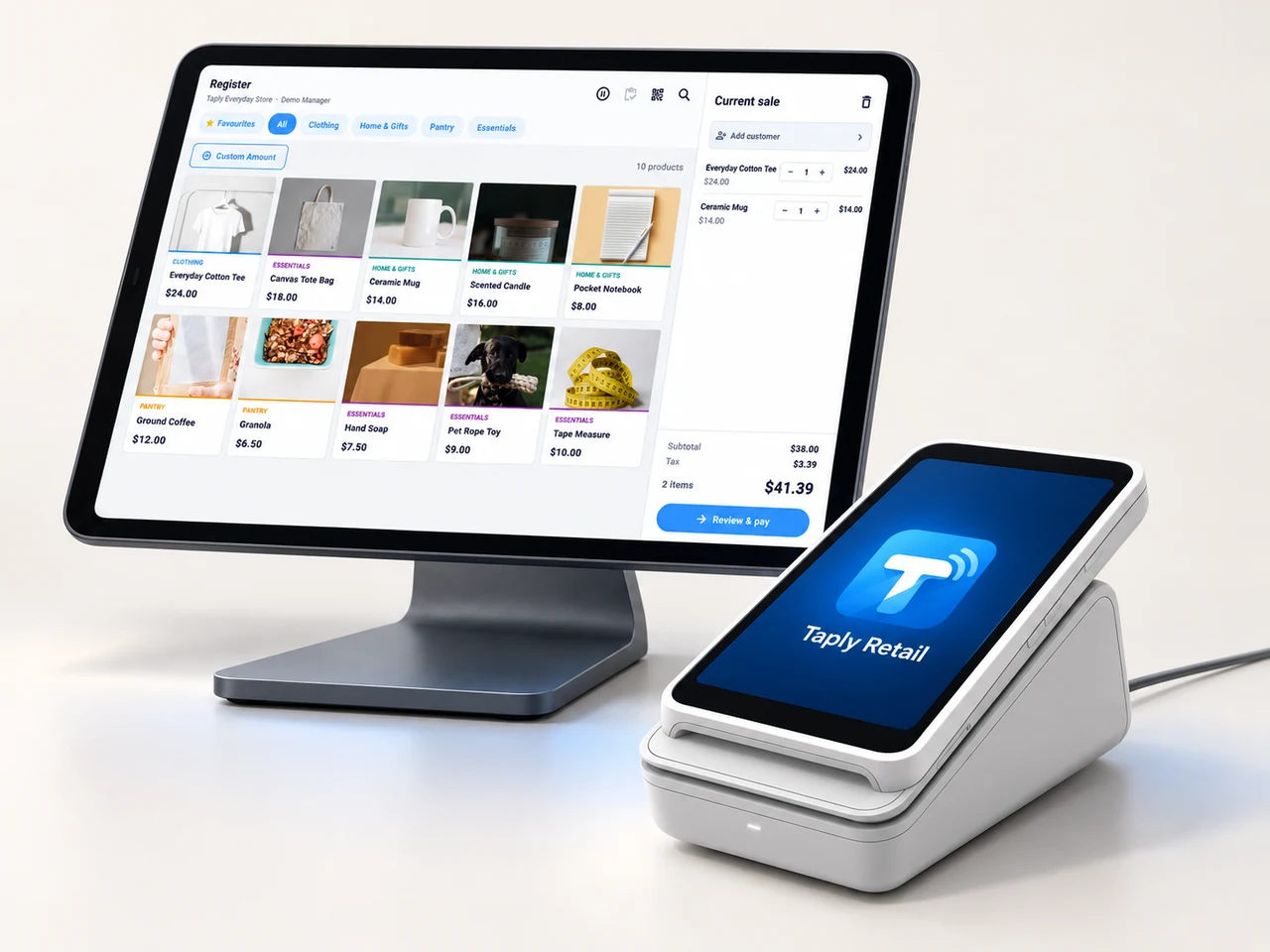
A landscape register, the right scanner and a receipt setup that fits your space. Build the counter around the way your team works.
- Review your existing equipment and connection methods.
- Confirm the reader and merchant setup before ordering.
- Keep hardware, software and payment costs itemized.
GOOD TOOLS START WITH GOOD QUESTIONS
A little preparation goes a long way.
FIELD NOTESBuyer's guide
Choose your next POS with a clear plan.
Open the resourceFIELD NOTESStock-count checklist
Give your next stock count a better start.
Open the resourceFIELD NOTESPurchase-order template
Put the next supplier order on paper.
Open the resourceFIELD NOTESMigration planning guide
Make the details part of your switch.
Open the resourceLet's build around your next great collection.
Walk through your products, your counter and your daily routines with Taply.
Questions about your apparel POS.
What should an apparel POS help me organize?
Start with the sellable garment: its style, size, color, SKU, barcode and quantity. Then connect those records to receiving, checkout, customers and reporting. Bring a representative collection into your Taply walkthrough.
How do sizes and colors fit into the catalog?
Each sellable variation needs a distinct item identity and stock quantity. The collection example shows how size and color can remain together while preserving the individual SKU. It uses fictional data and does not edit a store catalog.
Can I review supplier orders and new deliveries?
Explore purchase orders, inventory receipts and stock review in Retail. Agree your supplier packaging and receiving units before importing the collection.
How can I bring customer loyalty into the store?
Retail customer tools bring profiles, purchase history and loyalty into the store workflow. Define reward rules and communication consent with the team responsible for your customer program.
What equipment should I bring to a demo?
Bring the exact tablet or computer, scanner, label printer, receipt printer and payment reader you use. Device, connection and merchant compatibility need to be reviewed together.
Where can I find pricing and plan details?
The Retail pricing page explains the software and equipment conversation. Confirm the plan, locations, hardware and payment processing that apply to your store before choosing a setup.