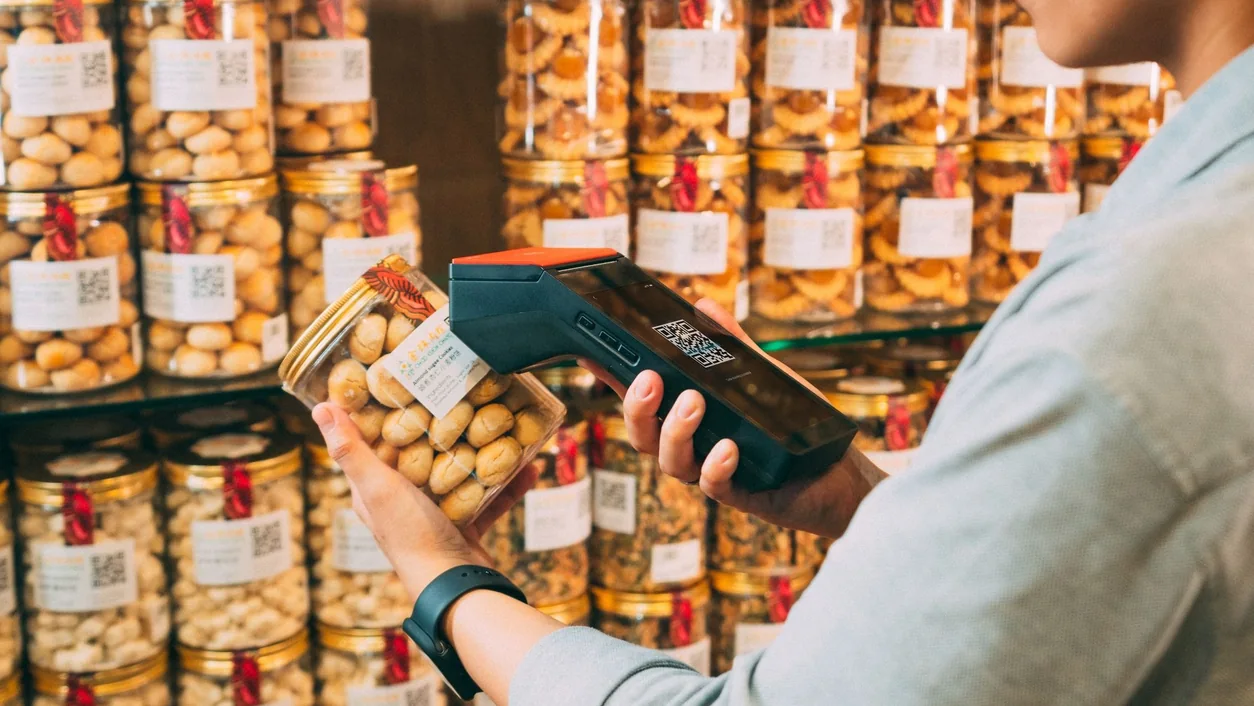
A clear explanation of barcodes, SKUs and product identifiers—plus the checks that make a label useful at the counter.
A barcode carries data in a readable symbol
A barcode represents data in a pattern that a compatible scanner can decode. The scanner sends the decoded value to the application. The application then uses that value—for example, to find an item in a product catalog.
The familiar retail scan normally identifies the item; the catalog supplies the price and description. A printed code does not prove the connected record is correct. Specialty formats can encode additional information, so confirm the actual symbology and data rules used in your workflow.
Barcode, SKU and GTIN mean different things
An internal SKU is a store’s own way of identifying an item. A GTIN is a standardized trade-item identifier in the GS1 system. The barcode is the machine-readable carrier. An internal SKU can be encoded in a suitable barcode, but that does not turn it into a GS1-issued GTIN.
GS1 US explains that product variations need distinct product identities. Use the applicable GS1 rules when obtaining identifiers for products you manufacture or brand. A label generator draws a symbol; it does not license globally recognized product numbers.
| Term | Role | Practical check |
|---|---|---|
| SKU | Your internal item reference | Unique and consistent within your catalog |
| GTIN | Standardized trade-item identity | Correctly assigned for the item and variation |
| Barcode | A symbol carrying data | Supported by the scanner and application |
What happens at the counter
Imagine a store tags a sample blue shirt with its internal SKU, SHIRT-BLU-M. A compatible scanner reads the label and passes that exact value to the POS. A successful lookup should show the medium blue shirt, the expected selling unit and the current catalog price.
If a different size appears, investigate the mapping before reprinting every label. If nothing appears, compare the decoded text with the item’s stored barcode field. Leading zeros, spaces, scanner prefixes and a code assigned to two products can all make the handoff confusing.
- Check the decoded value, not just whether the scanner beeps.
- Confirm the product, variant and selling unit on screen.
- Try a code that does not exist and inspect the error behavior.
- Check two similar variants one after the other.
Choose a format for the actual workflow
Start with the requirements of the retailer, marketplace, supplier or internal system that will read the symbol. Do not pick a barcode simply because a design tool can draw it. For an internal label, confirm which formats the scanner and application accept.
The Taply website’s generator creates Code 128 labels for internal SKU planning. It does not create licensed UPC or EAN identifiers, assign GTINs or certify scanning performance. Use the output as a sample and test the printed label on your equipment.
Print and test under store conditions
Keep the symbol clean, preserve space around it and avoid placing it over a fold or a sharply curved edge. Do not stretch the bars independently to make a label fit. A readable caption helps a person recover the item reference when a scan fails.
Test the actual printer, label stock and scanner from the distances and angles staff use. Include a worn label and the store’s normal lighting. A successful scan from a screen is not evidence that a small printed label will work just as well.
- Keep a known-good sample for each printer and label size.
- Check the full decoded value after printing.
- Test the smallest label you intend to use.
- Document the scanner settings that worked.
Treat a new label as a catalog change
Before switching label formats, sample products from each important category and keep the old-to-new identity mapping. Confirm that a renamed item still points to the intended record and that old stock can be recognized while the change is underway.
Make the rollout easy for the team: explain what changed, which labels remain valid and how to report a mismatch. The useful result is a dependable item lookup, not merely a shelf of new stickers.
Frequently asked questions
Is the price stored in every barcode?
No. A typical item-identification barcode points the application to a record whose price is maintained separately. Some specialized formats encode price, weight or other data; confirm the format used.
Can I invent a UPC number with a generator?
A generator cannot assign a legitimate GS1 product identity. Use GS1 guidance and the requirements of the channels where you sell.
Why does a label beep but show the wrong item?
The scanner may have decoded a value successfully while the catalog maps that value to the wrong record. Compare the decoded text, variant and unit, then investigate duplicate mappings.