Give your team a clearer way to work.
Make the next order easier to follow.
Put the menu and the current check together on a landscape iPad. Walk through the screens your team uses every day, from finding an item to adding the details the kitchen needs.
- Browse photo menus and categories
- Keep the check beside the menu
- Add modifiers and preparation notes
- Practice with clearly marked demonstration orders
Your restaurant’s configuration determines each person’s access.
Give each role the right responsibilities.
Organize staff permissions and manager controls around the work people need to do. Review access during onboarding and again when someone changes responsibilities or leaves the team.
- Set up roles during onboarding
- Review access to sensitive actions
- Make manager responsibilities clear
- Revisit permissions as your team changes
| Team member | Hours | POS tips |
|---|---|---|
| CaseyFloor | 35 | $126.00 |
| RileyKitchen | 40 | $0.00 |
| MorganHost | 24 | $36.00 |
Review recorded tips with the rest of the pay register.
Bring tips into the pay review.
Review POS tips alongside recorded hours, overtime, earnings and configured deductions. Keep questions visible before you export the pay register into your accountant's process.
- Review POS tips with earnings
- Check the configured pay settings
- Resolve exceptions before the handoff
- Export a reviewed pay register
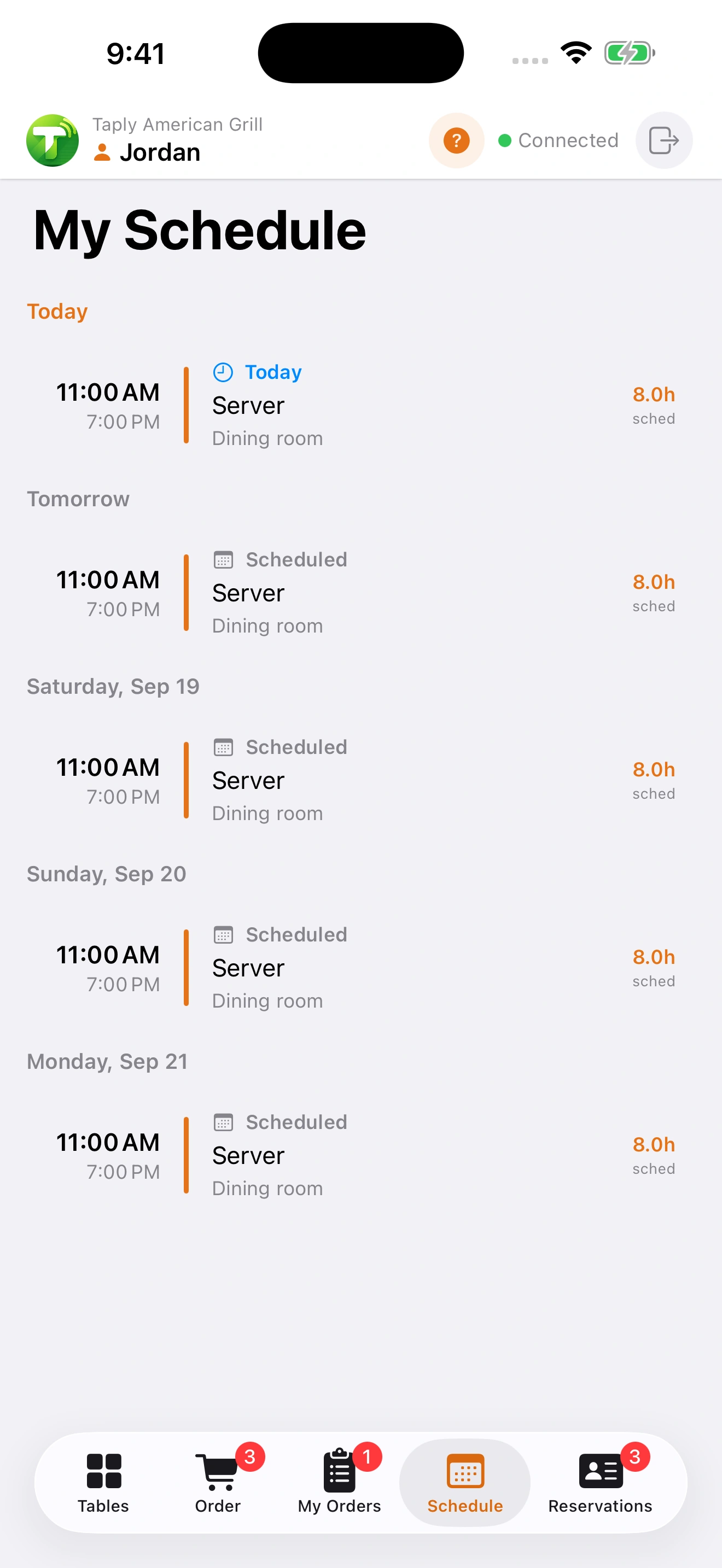
Keep the upcoming shift in view.
Give staff a focused place to check their scheduled work in Taply Floor. Review the restaurant's service needs alongside the schedule, and keep planned hours distinct from the time actually recorded.
- View upcoming scheduled work
- Check the assigned service area
- Review scheduling needs before service
- Use recorded hours when preparing pay
Confirm staff, scheduling and device requirements for your plan. Payroll calculations require Ultra or Enterprise and must be enabled in settings. Taply does not file payroll taxes. Compare Restaurant plans.