
A clear working screen
Give staff a landscape view of the menu or catalog, with the current order close at hand.
IPAD POINT OF SALE
Build your restaurant or retail counter around a compatible iPad and the Taply product made for your workday.
Every part of your service.
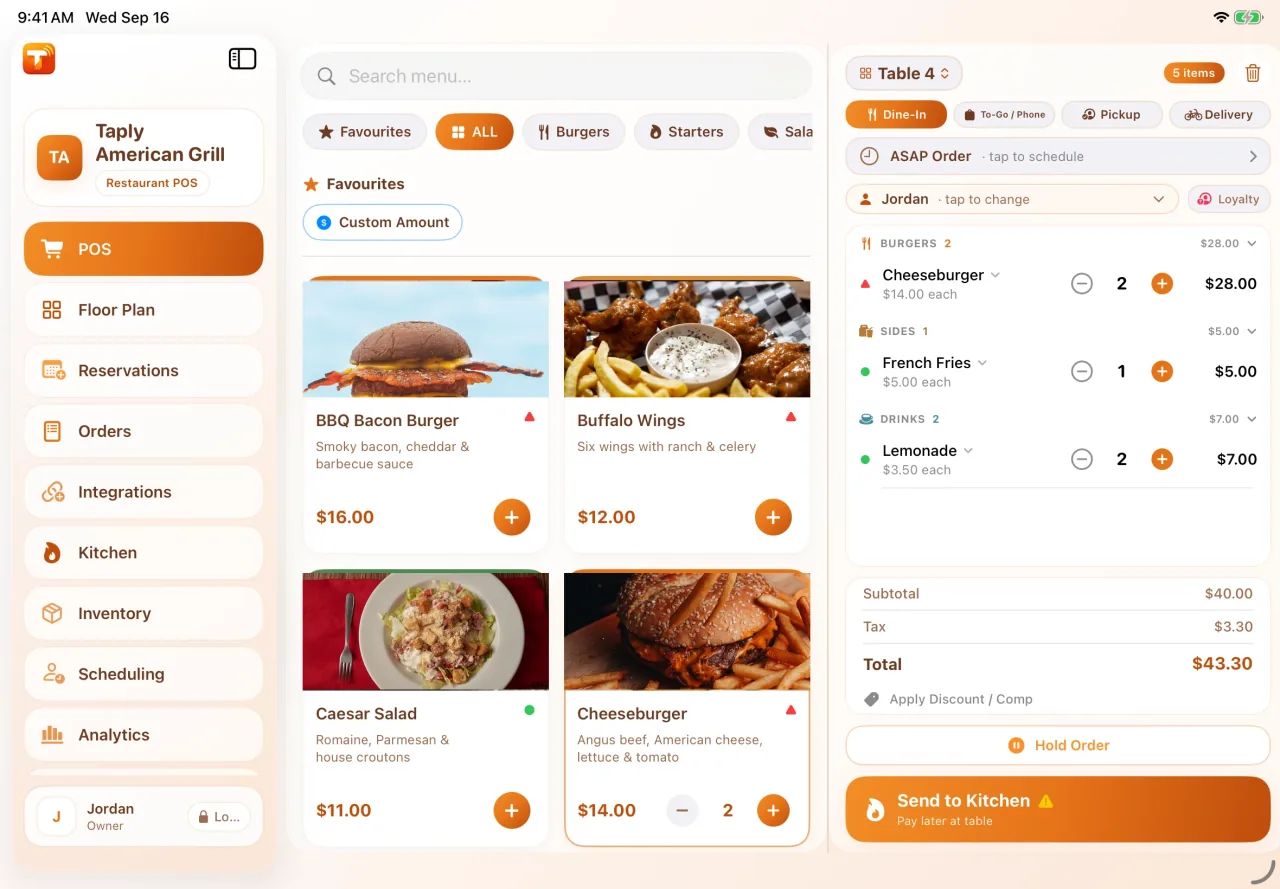
Your menu, products and service style should shape the setup. Start with Restaurant or Retail, then confirm the devices and accessories that fit.
Give staff a landscape view of the menu or catalog, with the current order close at hand.
Plan the stand, printer, reader and cables around the space your team and customers share.
Discuss separate kitchen, floor or guest devices where the selected product and plan support them.
Different workdays deserve different tools.
Menus, orders, kitchen preparation and the guest’s checkout. Explore the restaurant product and its equipment options.
Explore RestaurantProducts, inventory, purchasing and the counter. Explore the retail workspace and supported hardware.
Explore RetailRunning a fuel and convenience business? Explore the dedicated back office and its supported site connections.
Explore StationPLAN YOUR SETUP
A few practical notes make the walkthrough more useful. Start with your equipment, people and daily routine.
Prepare for your demoBring the exact model and operating-system version to your product discussion. Compatibility depends on the Taply product, app version and peripherals; age alone does not establish that a device is supported.
Review equipment and software as separate parts of your quote. Restaurant publishes equipment options; Retail device and peripheral compatibility should be confirmed before purchase.
No. Restaurant, Retail and Station serve different workflows and use separate product identities and owner workspaces. Station is a back office for supported station operations.
Choose a product and bring your questions to the Taply team.
Request a demo