Taply Retail API
Connect more of your retail world.
Put products, stock, sales and reporting at the center of your next connection. Shape a data handoff around the systems your business relies on.
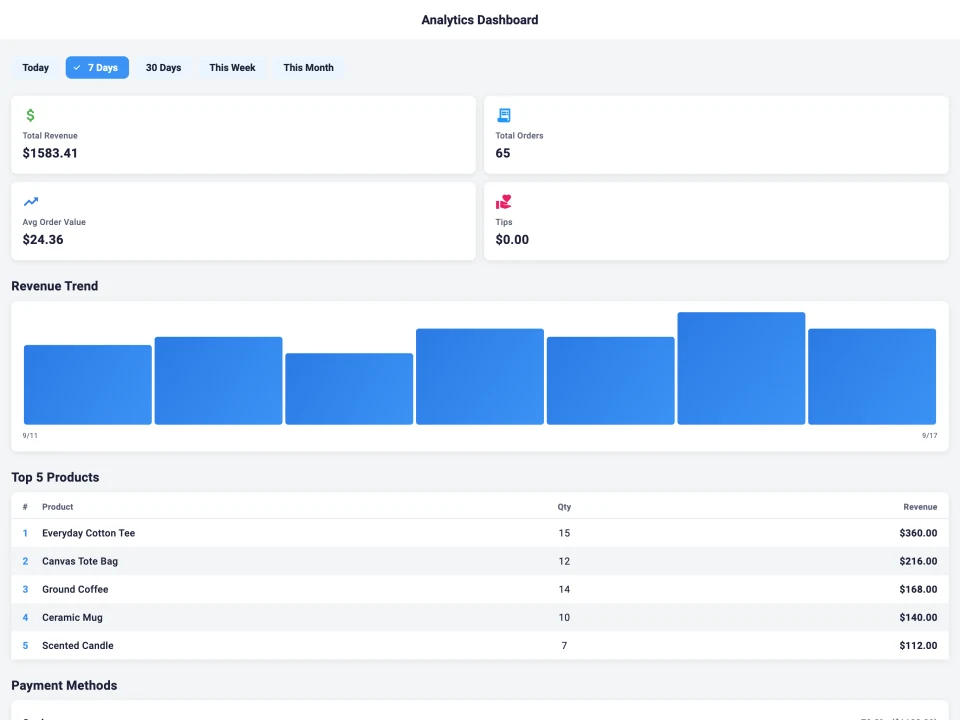
Products
Inventory
Sales
Reports
Start with the right scope.
A focused view of your retail data
Build a connection around the right information.
Every system has a job to do. Give your developer a clear starting point with separate read scopes for your product catalog, inventory, completed sales and daily reporting.
Review the records your connection needs, then agree access and the handoff with the people responsible for each system.
Explore scopes & eventsMake useful connections across the day.
Start with a business task and the information needed to support it.
- Bring product and stock data into your existing reporting tools.
- Give a sales review the completed transaction context it needs.
- Build a defined handoff around low-stock and day-close events.
- Connect the people who own the source data and the receiving system.
 Product dataReportingStock levelsStore events
A clear start.
A useful connection.
01The systems
02The information
03The people
04The handoff
Give your technical team a shared starting point.
A clear brief makes a better first conversation. Record the systems involved, the data you need and who owns the work, then review the documentation with Taply.
- Define the records, direction and update timing.
- Agree access, testing and who will support the connection.
- Review exceptions before the first live handoff.
Find the right tools already around your counter.
Some connections start with a custom brief. Others start with the equipment or service you already know.
- QuickBooks Online for a mapped daily journal.
- Stripe payment options for a supported checkout setup.
- Compatible barcode, receipt and label equipment.
- CSV reports for a file-based handoff.
The day, accounted for.
A shared language for your connection
The data. The event. The next step.
Explore the read scopes and event types in Retail’s integration settings. Confirm endpoint access, payloads and limits with the team for your store.
Read scopes
- Products
products:read - Catalog details, prices, SKUs and barcodes.
- Inventory
inventory:read - Stock on hand and reorder levels.
- Sales
orders:read - Completed sales and their line items.
- Reports
reports:read - The daily sales journal.
Store events
- Sale paid
order.paid - A completed and tendered sale.
- Sale refunded
order.refunded - A recorded refund.
- Stock low
inventory.low - An item at or below its minimum stock level.
- Day closed
business_day.closed - A closed business day and its saved Z report.
Read scopes grant access to the agreed records. Additional write operations, payment actions and third-party compatibility require a separate interface review.
Bring your developer into the conversation.
Get the endpoint documentation and access details that apply to your proposed Retail setup.
Request integration documentationLet’s connect.
Tell us what you use, what you want to connect and the next step you have in mind. We’ll help you work through the right Retail setup.
A few more connection details.
What can I connect through the Retail API?
The Retail integration settings distinguish product, inventory, completed-sales and reporting read scopes. Bring your data requirements to the team to confirm endpoint access, release availability, field definitions and limits for your store.
How do webhooks fit into a connection?
A configured HTTPS receiver can subscribe to selected events such as a paid sale, refund, low-stock item or closed business day. Review the payload, signing, delivery history and retry behavior with your developer before rollout.
Can I take a payment or change a sale through these read scopes?
These scopes describe read access. They do not grant a third-party app permission to charge a customer, issue a refund or edit completed financial records. Discuss any additional operation and its supported interface separately.
Where can my developer get the endpoint documentation?
Use the integration inquiry to request the documentation and access details that apply to your proposed setup. Include your system names and the records you need. Keep credentials and customer exports out of the initial inquiry.
Do I need a custom build for every connection?
Start with the connection directory. QuickBooks Online, payment hardware, barcode scanners, printers and CSV workflows each have their own setup path. An API project is useful when your requirement needs a more specific data handoff.