Electronics store POS system
Connect a great product with a great store visit.
From the model on display to the cable that completes the purchase, give your electronics store a clear way to sell, track stock and look after customers.
Choose a model. Compare its sample specification and related item.Sample data. No sign-in needed.
Already with Taply? Log in
A STORE THAT WORKS TOGETHER
For the model, the accessory and the details between.
Clear product identity
Keep similar models and accessories easy to distinguish.
ExploreA confident checkout
Find the item, scan the accessory and review the basket.
ExploreStock in perspective
Keep counts, receiving and reorder levels together.
ExploreUseful business reporting
See the products and categories behind the day's sales.
ExploreService with context
Organize service jobs around the customer's request.
ExploreRoom to expand
Bring your next location and online plans into the business view.
ExploreChoose a model. Compare its sample specification and related item.
THE DETAIL BEHIND THE MODEL
Similar name. Different record.
Arc Mini
ARC-M-128
- Storage
- 128 GB
- Finish
- Silver
- Port
- USB-C
A catalog that earns its keep
Find the cable. Match the model. Keep it clear.
Use precise item names, categories and SKUs to distinguish products that look alike. Keep the model and accessory information visible as your team helps a customer choose.
- Give each model and accessory a distinct SKU.
- Use barcodes to find the intended product.
- Keep useful product notes beside the item.
See beyond the daily total
Know which products move the business forward.
Bring product performance, the reporting period and location context into the same review. Use the results to inform stock, merchandising and team decisions.
- Review sales by product and category.
- Use consistent reporting dates.
- Keep inventory context alongside the sales.
A shared view, with local detail
Stay close to every store.
Bring store access, catalog work and group reporting into an organized business view. Keep the source location visible as you compare performance or prepare shared product records.
- Organize access by role and location.
- Review each store alongside the group.
- Separate product sharing from stock transfers.
KEEP THE BIGGER PICTURE CONNECTED
Good connections.
One clear picture.
Bring accounting, payments and equipment into the conversation around your store. Explore each connection and the setup it needs.
Explore Retail connectionsClick an orbiting icon to learn more.
 Stripe payments
- Barcode scanners
- Receipt printers
 QuickBooks Online
- Retail API access
- Retail webhooks
- CSV report exports
Another place to discover your range
Make the next visit start online.
Plan a storefront around clear product information and a defined stock handoff. Discuss the platform, availability and fulfillment expectations before connecting a channel.
- Prepare the online assortment and model information.
- Agree catalog and inventory ownership.
- Review order routing and fulfillment.
After the first purchase
Keep the next customer request in view.
Use service orders to organize intake, notes, status and the handoff to the customer. Define any warranty, serialized-device or repair-specific requirements with your team.
- Keep the request and customer context together.
- Track service progress and pickup readiness.
- Review the scope of repair and warranty records.
A considered finish at the counter
A clear basket. A better last impression.
Keep the selected model and accessories visible as the sale comes together. Finish with the supported payment and receipt options configured for the store.
- Find products by name, SKU or barcode.
- Review item identity and quantities.
- Keep the original sale and receipt available.
MADE FOR THE COUNTER
Give good service a great setup.
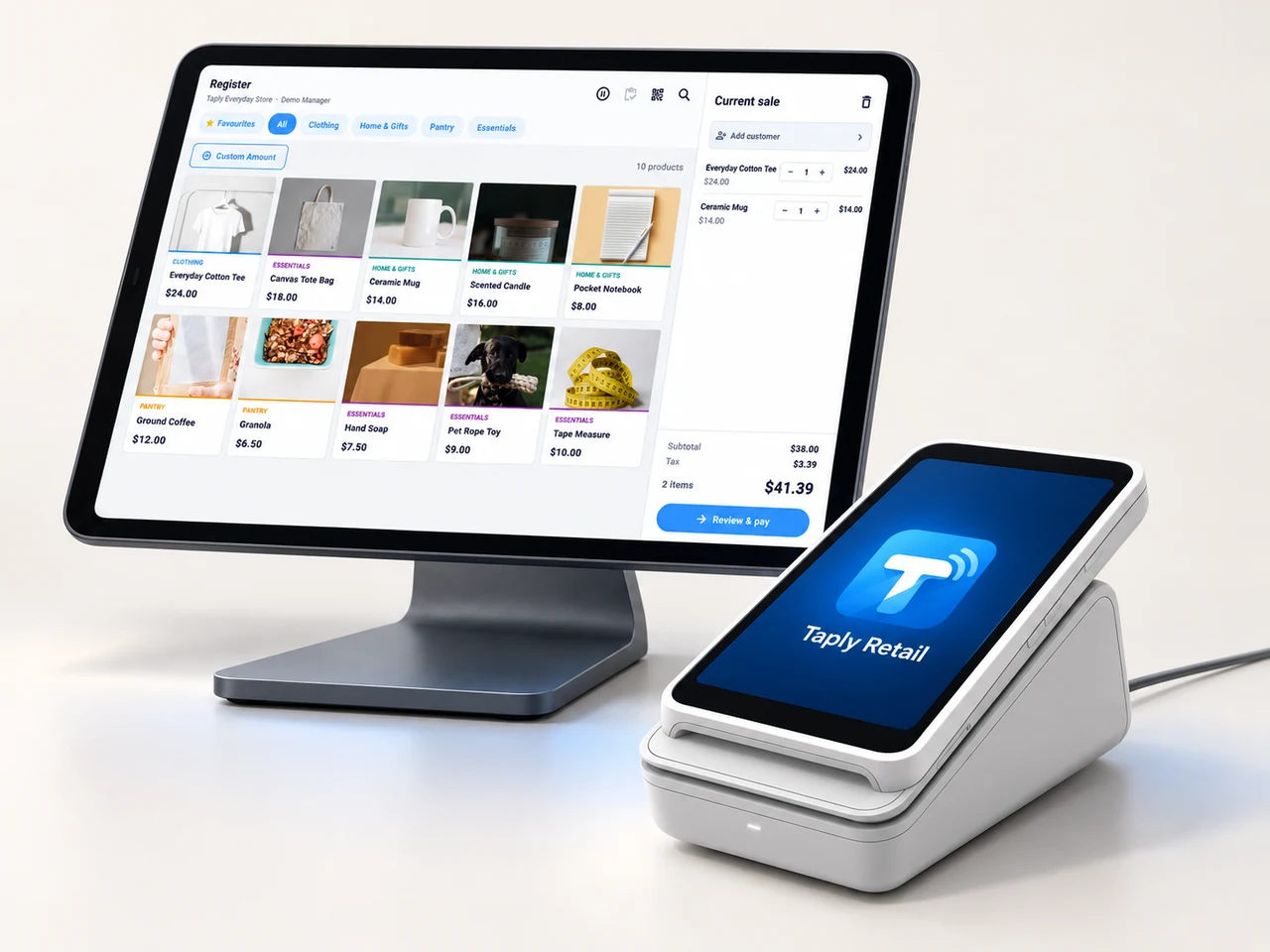
A landscape register, the right scanner and a receipt setup that fits your space. Build the counter around the way your team works.
- Review your existing equipment and connection methods.
- Confirm the reader and merchant setup before ordering.
- Keep hardware, software and payment costs itemized.
GOOD TOOLS START WITH GOOD QUESTIONS
A little preparation goes a long way.
FIELD NOTESBuyer's guide
Choose your next POS with a clear plan.
Open the resourceFIELD NOTESStock-count checklist
Give your next stock count a better start.
Open the resourceFIELD NOTESPurchase-order template
Put the next supplier order on paper.
Open the resourceFIELD NOTESMigration planning guide
Make the details part of your switch.
Open the resourceLet's connect the next chapter of your store.
Walk through your products, your counter and your daily routines with Taply.
Questions about your electronics POS.
How can I distinguish similar electronics models?
Use a precise item name, category, SKU and barcode for each sellable product. Keep model and accessory notes with the record so the counter can review the exact item before checkout.
Does the model example guarantee accessory compatibility?
No. It contains fictional products and demonstrates catalog lookup only. Confirm compatibility from the product manufacturer and your own catalog records.
Can Taply organize service jobs?
Retail service orders cover the job, customer context, status and pickup handoff. Review any specialized diagnostics, warranties or serialized-device tracking as separate requirements.
How does this fit a multi-store business?
Explore Retail multi-store tools for organization access, product sharing and location reporting. Define each location's stock and account context before planning a rollout.
Are trade-ins and warranty claims included automatically?
Trade-ins, valuation, warranty claims and serial-number records need an explicit product review. Bring the exact process and required records to your walkthrough.
Where should I begin when switching systems?
Bring a sample catalog, barcode labels, supplier records, stock quantities and hardware list. Agree the data scope and a representative test with the team before choosing a changeover date.