Garden center POS system
Give a growing business room to bloom.
Plants, pots and a new season of possibilities. Bring your garden center's stock, checkout and business view together with Taply Retail.
Choose a season. See the sample range and replenishment needs.Sample data. No sign-in needed.
Already with Taply? Log in
A STORE THAT WORKS TOGETHER
A clear view, through every season.
Seasonal stock
Keep changing ranges and everyday essentials in the same inventory view.
ExploreA helpful checkout
Bring plants, pots and supplies into a clear basket.
ExploreThe story in your sales
Use reporting to understand a busy weekend or a changing season.
ExploreThe next delivery
Organize purchasing around suppliers, packs and sellable units.
ExploreGrowing relationships
Keep regular customers and their store history in view.
ExploreAnother way to browse
Plan an online range around stock and fulfillment needs.
ExploreChoose a season. See the sample range and replenishment needs.
ROOM TO GROW
A new season. A clear stock view.
A range that changes with the weather
Know what needs room. And what needs replenishing.
Bring plants, pots and seasonal essentials into a clear stock routine. Review quantities and reorder levels with the next delivery in mind, from the indoor display to the outdoor benches.
- Organize products into useful seasonal categories.
- Keep plants, trays and packs in the right sellable units.
- Review items below their reorder level.
A better view of the season
Turn a busy weekend into useful perspective.
Keep the reporting period consistent as you review the products and categories behind your sales. Use the numbers to inform your next buying and merchandising conversation.
- Review the mix of products sold.
- Compare dates with the same business context.
- Bring stock and sales into the same review.
From the display to the garden
Make room for one more lovely find.
Help the team identify products, review the basket and finish the sale. Bring the customer, receipt and supported payment setup into a familiar counter routine.
- Look up the correct product and selling unit.
- Use a compatible barcode scanner where it fits.
- Give customers a clear receipt.
KEEP THE BIGGER PICTURE CONNECTED
Good connections.
One clear picture.
Bring accounting, payments and equipment into the conversation around your store. Explore each connection and the setup it needs.
Explore Retail connectionsClick an orbiting icon to learn more.
 Stripe payments
- Barcode scanners
- Receipt printers
 QuickBooks Online
- Retail API access
- Retail webhooks
- CSV report exports
Prepare for what grows next
A deliberate order. A better-stocked bench.
Use supplier records, purchase orders and receiving to keep the next delivery organized. Check the quantities that arrive before taking them into your stock view.
- Keep supplier orders and received quantities distinct.
- Check trays, bags, packs and individual units.
- Review minimum and target stock levels.
Good advice brings people back
Let the next visit feel familiar.
Keep customer profiles and purchase history close to the counter. Build your loyalty routine around your garden center and the people who return through the seasons.
- Review customer history in context.
- Organize groups and loyalty rewards.
- Respect consent when planning outreach.
Let the collection travel further
Give customers a way to plan their visit.
Prepare an online assortment that reflects your store. Agree the product information, availability and fulfillment routine before connecting your chosen storefront.
- Select products suited to your online channel.
- Define the stock and order handoff.
- Confirm platform and connection requirements.
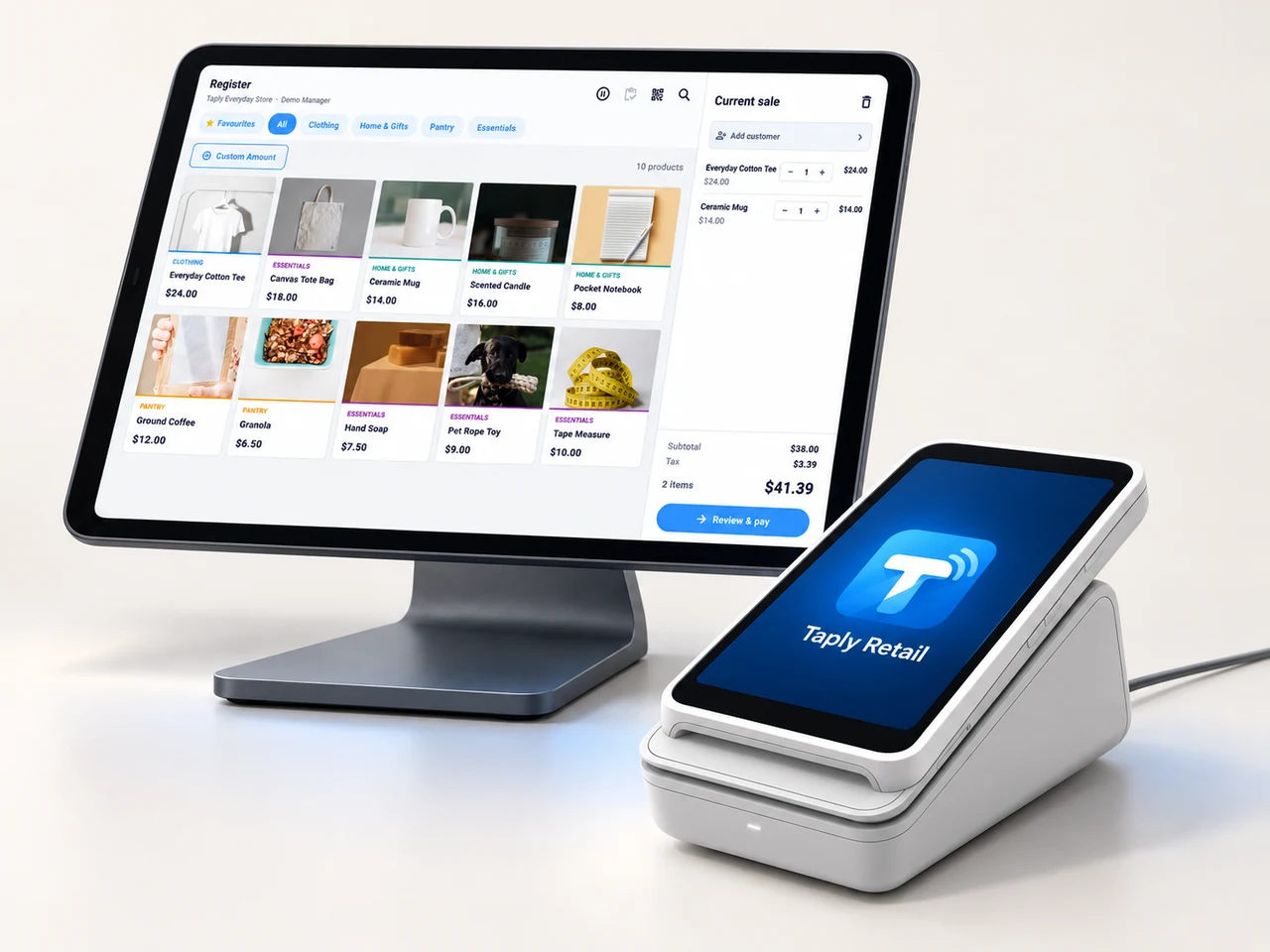
MADE FOR THE COUNTER
Give good service a great setup.
A landscape register, the right scanner and a receipt setup that fits your space. Build the counter around the way your team works.
- Review your existing equipment and connection methods.
- Confirm the reader and merchant setup before ordering.
- Keep hardware, software and payment costs itemized.
GOOD TOOLS START WITH GOOD QUESTIONS
A little preparation goes a long way.
FIELD NOTESBuyer's guide
Choose your next POS with a clear plan.
Open the resourceFIELD NOTESStock-count checklist
Give your next stock count a better start.
Open the resourceFIELD NOTESPurchase-order template
Put the next supplier order on paper.
Open the resourceFIELD NOTESMigration planning guide
Make the details part of your switch.
Open the resourceLet's make room for your next season.
Walk through your products, your counter and your daily routines with Taply.
Questions about your garden center POS.
What should a garden center POS bring together?
Start with the products you sell, the units you receive, the counter checkout and the reports you review. Seasonal stock, purchasing and customer relationships give the business view more context.
How do packs and trays fit the inventory routine?
Define the receiving unit and the unit sold to the customer. Review representative supplier deliveries with the team so a tray, pack or individual plant has the right quantity meaning.
Can I see products that need replenishment?
Retail inventory includes reorder-level and stock review. The seasonal example uses fictional quantities to illustrate that review; it does not place an order or change inventory.
Does this cover nursery production or plant-care records?
Nursery production, growing cycles, live-weight sales and plant-care records require a separate scope review. A retail inventory record should not be treated as a production-management system.
How should I prepare for an outdoor stock count?
Agree the areas and product scope, define units and labels, and give the team a consistent counting routine. The Retail stock-count checklist provides a practical starting point.
Can I keep my existing hardware?
Bring exact device, scanner, printer and reader models into the demo. Confirm connections, compatibility and merchant requirements for the intended setup before buying or reusing equipment.