Home décor POS system
Beautiful spaces begin with the details.
The finish, the size, the piece that brings a room together. Give your home décor store a clear view from showroom to stockroom.
Choose a finish to compare the fictional display and boxed stock.Sample data. No sign-in needed.
Already with Taply? Log in
A STORE THAT WORKS TOGETHER
Bring the showroom and the business together.
Detailed product records
Keep dimensions, finishes and individual SKUs clear.
ExploreUseful business reporting
Review your range with sales and stock in view.
ExploreA thoughtful handoff
Give customer requests a clear place in the service routine.
ExploreA wider shop window
Plan the catalog and fulfillment behind your online range.
ExploreChoose a finish to compare the fictional display and boxed stock.
KNOW THE PIECE BEHIND THE DISPLAY
Arc side table
Oak / 45 cm
ARC-OAK-45Illustrative stock separation · no item reserved
From inspiration to the right item
Know the piece behind the display.
Give similar-looking products a distinct identity. Review the finish, SKU and quantity while keeping showroom samples separate from the stock your team can sell.
- Identify the exact finish and dimensions.
- Keep display and sellable stock clearly defined.
- Review availability before promising a pickup.
Your next collection starts here
See what is finding a home.
Bring product performance and stock into the same buying conversation. Compare a consistent sales period before expanding the range or making space for a new collection.
- Review sales by product and category.
- Keep remaining quantities in the picture.
- Use reporting to inform the next supplier order.
KEEP THE BIGGER PICTURE CONNECTED
Good connections.
One clear picture.
Bring accounting, payments and equipment into the conversation around your store. Explore each connection and the setup it needs.
Explore Retail connectionsClick an orbiting icon to learn more.
 Stripe payments
- Barcode scanners
- Receipt printers
 QuickBooks Online
- Retail API access
- Retail webhooks
- CSV report exports
A considered purchase
Keep the request with the customer.
Some purchases need more than a quick answer. Bring customer context and a clear status into the service handoff, and review special-order or delivery requirements with the team.
- Capture the request and customer context.
- Keep the next step clear to the team.
- Confirm the supported delivery or deposit workflow separately.
Inspiration beyond the window
Give your collection another place to be found.
Plan online product information around dimensions, materials and fulfillment needs. Agree the catalog owner and stock handoff before opening another sales channel.
- Prepare clear product descriptions and photographs.
- Decide which items belong in the online range.
- Review the storefront and supported connection.
MADE FOR THE COUNTER
Give good service a great setup.
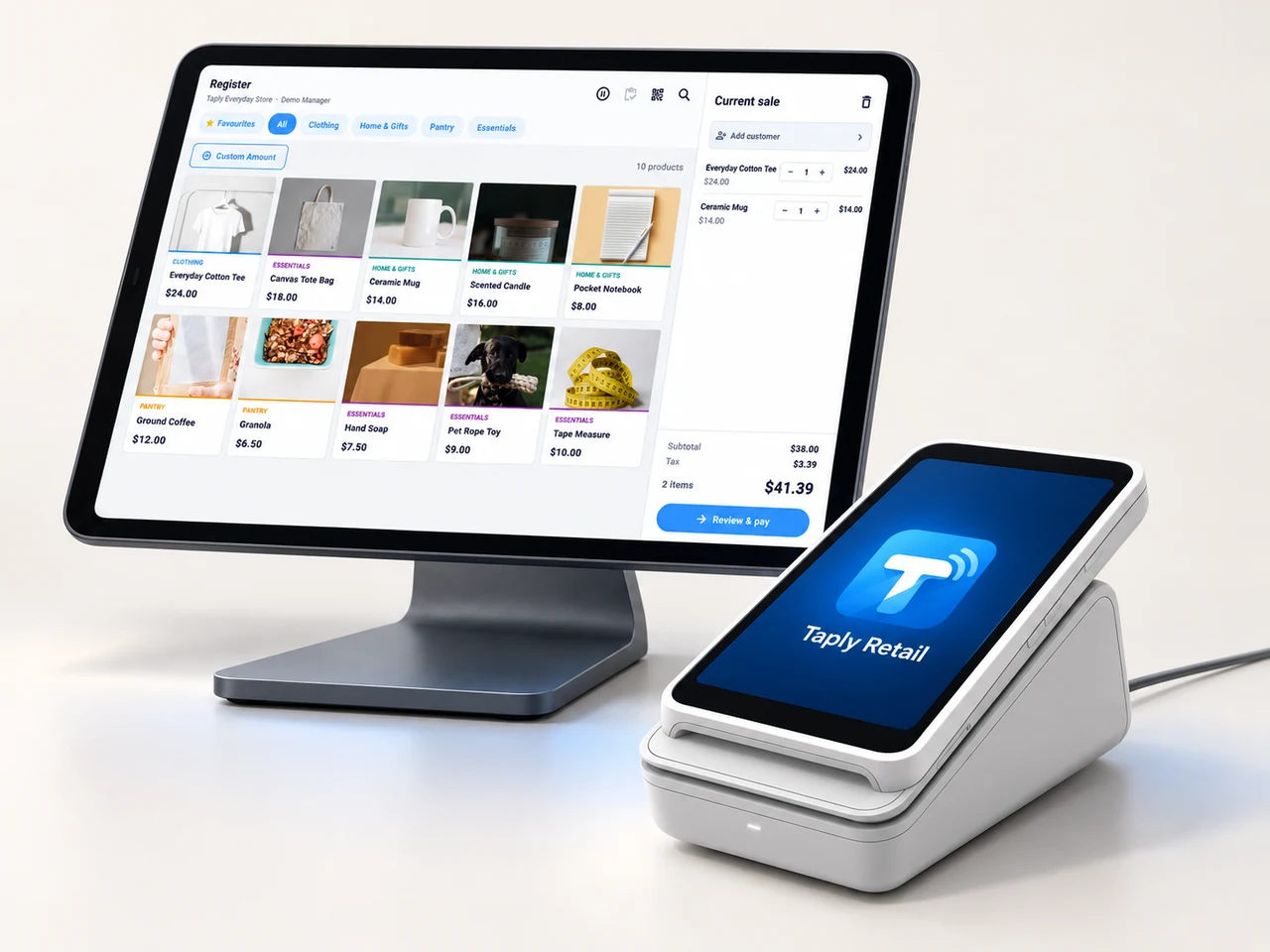
A landscape register, the right scanner and a receipt setup that fits your space. Build the counter around the way your team works.
- Review your existing equipment and connection methods.
- Confirm the reader and merchant setup before ordering.
- Keep hardware, software and payment costs itemized.
GOOD TOOLS START WITH GOOD QUESTIONS
A little preparation goes a long way.
FIELD NOTESBuyer's guide
Choose your next POS with a clear plan.
Open the resourceFIELD NOTESStock-count checklist
Give your next stock count a better start.
Open the resourceFIELD NOTESPurchase-order template
Put the next supplier order on paper.
Open the resourceFIELD NOTESMigration planning guide
Make the details part of your switch.
Open the resourceMake room for a more considered retail routine.
Walk through your products, your counter and your daily routines with Taply.
Questions about your home décor store POS.
How should I track finishes and sizes?
Give every sellable combination its own product identity, SKU and stock quantity. Include dimensions and materials in the product information your team needs to make a clear recommendation.
Does the example reserve showroom stock?
No. The illustration switches between two fixed, fictional item records. Its display and boxed-stock counts are explanatory and do not reserve or move inventory.
Can I manage deliveries, deposits or custom orders?
Bring the full process to the team for a specific review. General product and service records do not establish support for delivery scheduling, deposits or custom manufacturing.
How can I prepare my current catalog?
Review product names, SKUs, barcodes, variations and opening quantities. Keep display samples and sellable stock clearly identified, then agree the import and validation plan.