Pet store POS system
For the shop they bring their best friend to.
Favorite toys, everyday essentials and the right bag on the shelf. Keep the work behind a welcoming pet store together with Taply Retail.
Choose a pack size to see the fictional SKU and stock level.Sample data. No sign-in needed.
Already with Taply? Log in
Choose a pack size to see the fictional SKU and stock level.
DISTINCT SIZES. DISTINCT RECORDS.
Keep the right pack in view.
Sample pack / 2 kg
PET-PACK-02Above the sample reorder level
An inventory illustration · not a product recommendation
The right bag matters
Same product family. Different stock.
Keep pack sizes and sellable units clear to everyone at the counter. Give each size its own identity so the team can find the exact item a customer comes back for.
- Keep each pack size on a distinct SKU.
- Review its own stock and reorder level.
- Separate supplier packs from individual sellable units.
Know the rhythm of the store
See which essentials keep things moving.
Bring product performance and stock into a regular review. Use the same date range to understand a busy weekend, a seasonal display or the items customers return for.
- Review product and category sales.
- Compare stock with the products being sold.
- Take the findings into your next buying decision.
KEEP THE BIGGER PICTURE CONNECTED
Good connections.
One clear picture.
Bring accounting, payments and equipment into the conversation around your store. Explore each connection and the setup it needs.
Explore Retail connectionsClick an orbiting icon to learn more.
 Stripe payments
- Barcode scanners
- Receipt printers
 QuickBooks Online
- Retail API access
- Retail webhooks
- CSV report exports
Ready for the next delivery
Give replenishment a repeatable routine.
Organize supplier orders around the units your store receives and sells. Check what arrived before the next bags, toys and accessories reach the shelf.
- Prepare supplier purchase orders.
- Keep ordered and received quantities distinct.
- Review items below their reorder level.
A reason to return
Remember the last good find.
Keep a customer's store history close by when they come back for a familiar item. Bring profiles and loyalty into the visit while respecting their contact preferences.
- Review the customer's previous purchases.
- Organize groups and loyalty rewards.
- Keep communication preferences clear.
MADE FOR THE COUNTER
Give good service a great setup.
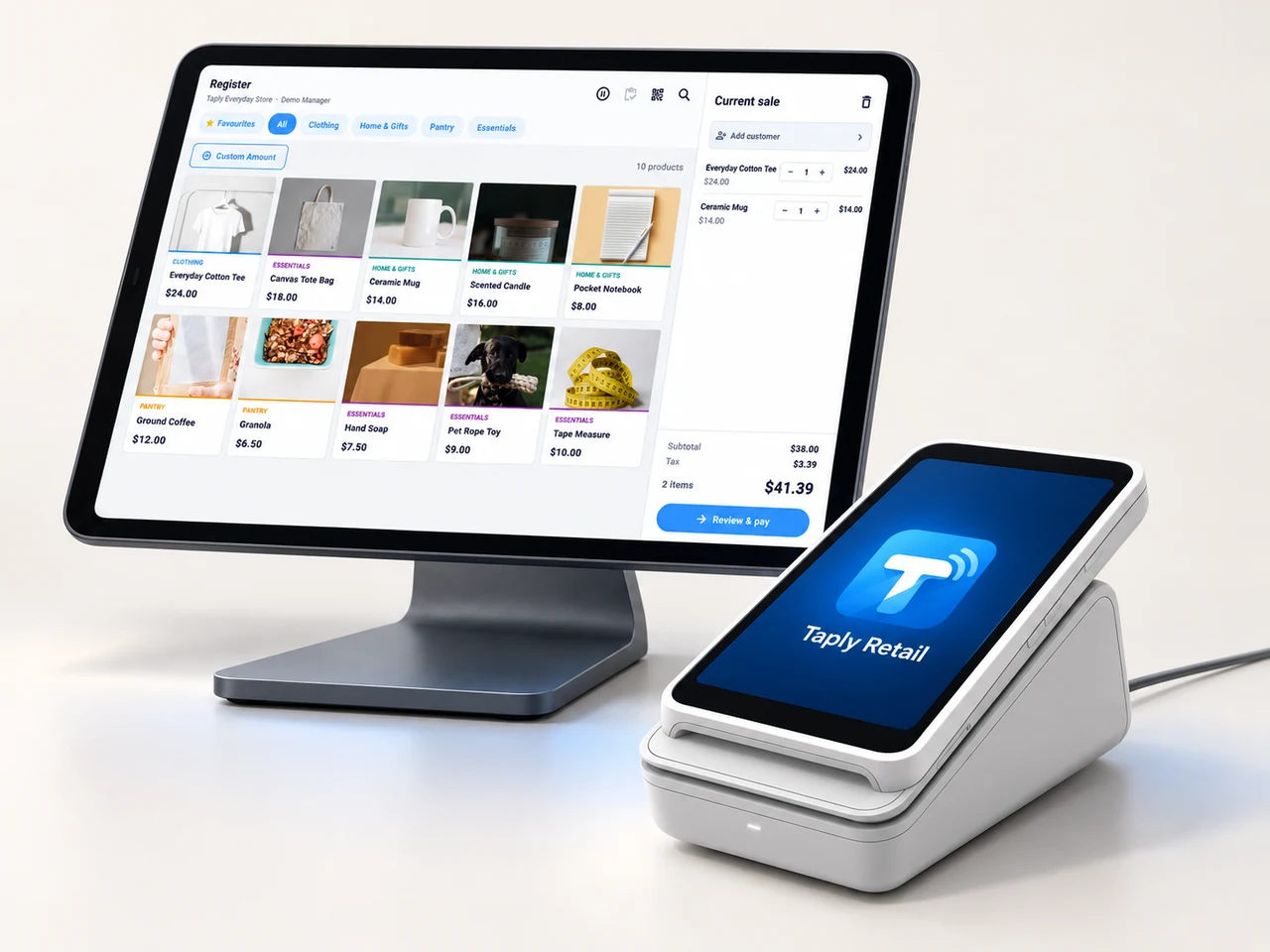
A landscape register, the right scanner and a receipt setup that fits your space. Build the counter around the way your team works.
- Review your existing equipment and connection methods.
- Confirm the reader and merchant setup before ordering.
- Keep hardware, software and payment costs itemized.
GOOD TOOLS START WITH GOOD QUESTIONS
A little preparation goes a long way.
FIELD NOTESBuyer's guide
Choose your next POS with a clear plan.
Open the resourceFIELD NOTESStock-count checklist
Give your next stock count a better start.
Open the resourceFIELD NOTESPurchase-order template
Put the next supplier order on paper.
Open the resourceFIELD NOTESMigration planning guide
Make the details part of your switch.
Open the resourceA clear routine for a store full of personality.
Walk through your products, your counter and your daily routines with Taply.
Questions about your pet store POS.
How do different bag and pack sizes fit into inventory?
Give each sellable pack its own SKU, barcode and stock quantity. Agree the relationship between supplier cases and individual units before importing quantities.
Does the sample recommend products or feeding amounts?
No. Its fictional packs only illustrate inventory records. They are not product, nutritional or animal-care recommendations.
Does this include grooming appointments?
This page covers the retail store. Grooming schedules, appointment deposits and service-specific records require their own scope review.
Can I use my existing scanner and receipt printer?
Bring the exact device models and connection methods to your walkthrough. Confirm software, device and merchant compatibility for the proposed setup.