Sporting goods POS system
Ready for the next season. And the next adventure.
The range changes with the game. Bring equipment, apparel and accessories into a clear stock and checkout routine with Taply Retail.
Choose a department to explore its fictional stock list.Sample data. No sign-in needed.
Already with Taply? Log in
A STORE THAT WORKS TOGETHER
Built around a store that keeps moving.
Every department
Organize equipment and accessories in a useful catalog.
ExploreSeasonal perspective
Review your range with stock and sales together.
ExploreSupplier purchasing
Prepare orders and keep incoming quantities clear.
ExploreA confident counter
Find the item and bring the basket together.
ExploreService follow-up
Keep a customer's request and next step in view.
ExploreAcross the business
Review location detail alongside the wider store picture.
ExploreChoose a department to explore its fictional stock list.
A RANGE THAT KEEPS MOVING
A clear view across the store.
Fixed sample quantities · no live stock lookup
A range with room to move
From the trail to the court, find the right item.
Give each department useful categories and distinct item records. Keep equipment, sizes and accessories easy to look up without losing the stock detail behind them.
- Organize the range by department and category.
- Keep a clear SKU for each sellable variation.
- Review stock before the next seasonal change.
Stay close to the season
Know what is moving off the shelf.
Review the products and departments behind the sales. Compare a consistent period and bring the remaining stock into your next seasonal buying plan.
- Review product and department performance.
- Compare periods with the same business context.
- Use stock alongside sales when planning the next order.
Set up for the next delivery
Make the next season easier to receive.
Give supplier orders a clear trail from purchase to receiving. Review quantities and sellable units before the new range goes out on the shop floor.
- Prepare supplier purchase orders.
- Check incoming stock against the order.
- Keep cases, sets and individual items distinct.
KEEP THE BIGGER PICTURE CONNECTED
Good connections.
One clear picture.
Bring accounting, payments and equipment into the conversation around your store. Explore each connection and the setup it needs.
Explore Retail connectionsClick an orbiting icon to learn more.
 Stripe payments
- Barcode scanners
- Receipt printers
 QuickBooks Online
- Retail API access
- Retail webhooks
- CSV report exports
Keep the service in sporting goods
Give the request a clear next step.
Bring customer context into the service handoff. Review the workflow for a fitting, repair or equipment request separately from the sale of the item.
- Capture the request and relevant product details.
- Review service status and the pickup handoff.
- Confirm rental, deposit and booking requirements separately.
MADE FOR THE COUNTER
Give good service a great setup.
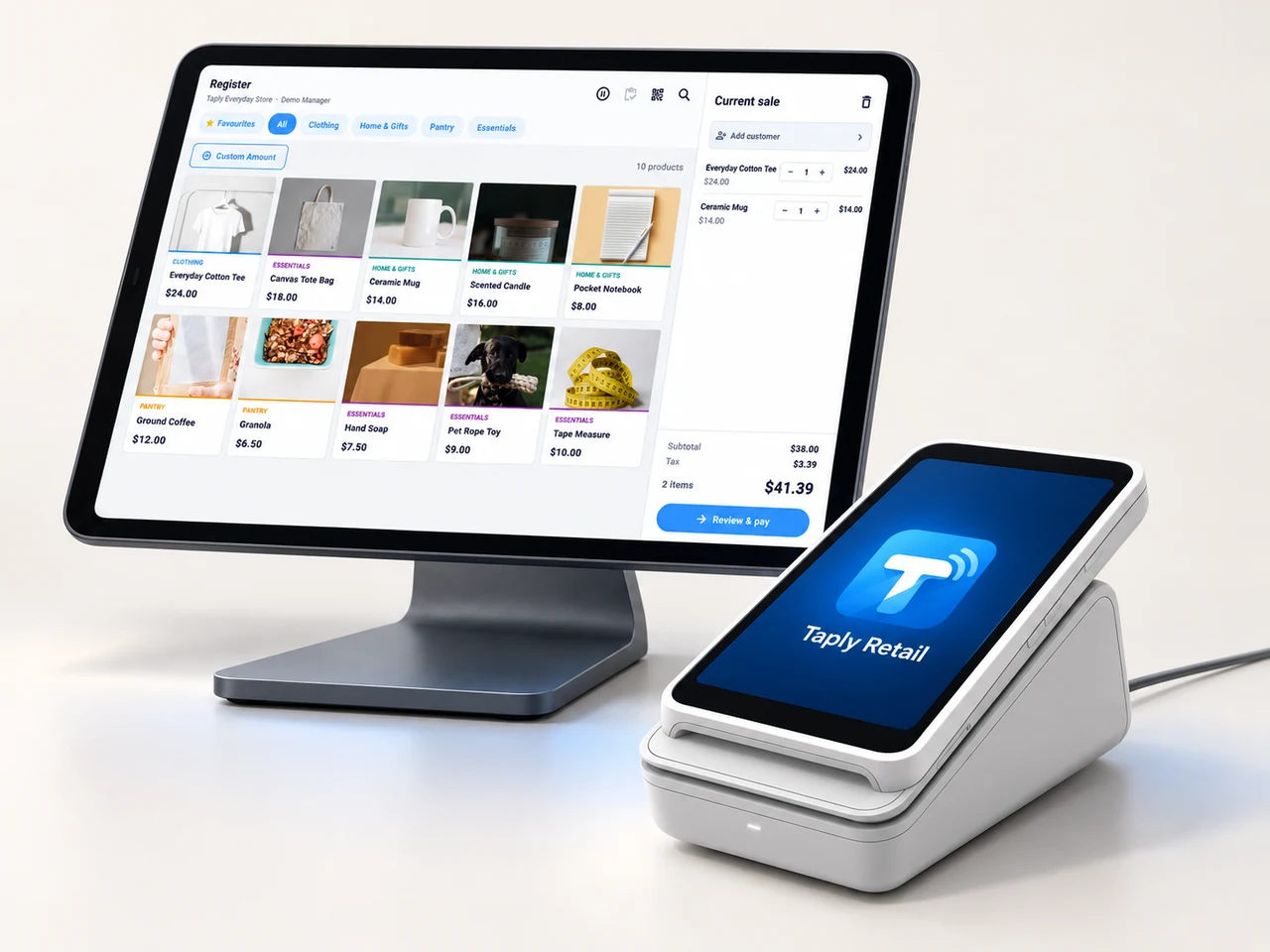
A landscape register, the right scanner and a receipt setup that fits your space. Build the counter around the way your team works.
- Review your existing equipment and connection methods.
- Confirm the reader and merchant setup before ordering.
- Keep hardware, software and payment costs itemized.
GOOD TOOLS START WITH GOOD QUESTIONS
A little preparation goes a long way.
FIELD NOTESBuyer's guide
Choose your next POS with a clear plan.
Open the resourceFIELD NOTESStock-count checklist
Give your next stock count a better start.
Open the resourceFIELD NOTESPurchase-order template
Put the next supplier order on paper.
Open the resourceFIELD NOTESMigration planning guide
Make the details part of your switch.
Open the resourceGet the next season off to a clearer start.
Walk through your products, your counter and your daily routines with Taply.
Questions about your sporting goods store POS.
Can one catalog cover several sports?
Organize products into useful departments and categories, with distinct SKUs and stock quantities for each sellable variation. The fictional selector illustrates three separate department lists.
What should I review for rental equipment?
Rental availability, booking, deposits, returns and damage handling need a separate workflow review. A standard retail stock record does not establish rental support.
How do I prepare a seasonal stock review?
Choose a consistent sales period, review products and categories, and compare the findings with the quantities still held. Confirm supplier pack sizes before preparing the next order.
Are the example quantities live?
No. They are fixed fictional records for exploring this page. No products are reserved, sold or changed.