Bike shop POS system
More time for the next ride.
Bikes on the floor. Parts in the stockroom. Repairs on the bench. Bring the work of a great bike shop together with Taply Retail.
Click a workshop status to explore a sample repair job.Sample data. No sign-in needed.
Already with Taply? Log in
A STORE THAT WORKS TOGETHER
From the first fitting to the next tune-up.
Bikes, parts & accessories
Give the big purchases and small replacement parts the same clear stock view.
ExploreA connected workshop
Keep the job, status and pickup handoff together.
ExploreThoughtful purchasing
Organize supplier orders and the deliveries behind the next repair.
ExploreA confident counter
Bring the bike, accessories and customer into one basket.
ExploreA view across stores
Keep location detail beside the bigger business picture.
ExploreKeep riders coming back
Give the next visit context with customer records and loyalty.
ExploreThe ride begins before the visit
Make your range easier to discover.
Plan a storefront that reflects the bikes, parts and expertise in your shop. Bring catalog, location and fulfillment needs into the same conversation before connecting an online channel.
- Choose the range you want customers to discover.
- Prepare useful product information and images.
- Agree stock ownership and the order handoff.
Behind every well-stocked workshop
Keep the next delivery in the picture.
Organize the components, consumables and accessories you buy from suppliers. Keep the order separate from the receipt so your team can see what is still due.
- Prepare supplier purchase orders.
- Review pack sizes and receiving units.
- Use stock and reorder levels to guide replenishment.
Click a workshop status to explore a sample repair job.
FROM DROP-OFF TO PICKUP
Every job has a next step.
City bike tune-up
Adjust gears and check brake alignment.
Intake Workshop Pickup
From drop-off to pickup
Give every repair a clear next step.
Keep the customer's request, service status and workshop notes together. Help the team see what is in progress, what is waiting on a part and what is ready to return to its rider.
- Organize service jobs and customer context.
- Track the status of the work.
- Prepare a clear pickup handoff.
KEEP THE BIGGER PICTURE CONNECTED
Good connections.
One clear picture.
Bring accounting, payments and equipment into the conversation around your store. Explore each connection and the setup it needs.
Explore Retail connectionsClick an orbiting icon to learn more.
 Stripe payments
- Barcode scanners
- Receipt printers
 QuickBooks Online
- Retail API access
- Retail webhooks
- CSV report exports
The whole shop, with the small parts
A tube is small. Knowing you have it matters.
Give each bike, part and accessory a useful product record. Bring lookup, receiving and counts into the same routine so the counter can find the item it needs.
- Organize the range by category and SKU.
- Find products with a compatible barcode scanner.
- Review stock counts and reorder levels.
Room for another shop
Keep each store in the bigger picture.
Compare a shared business period while keeping the details of each shop visible. Give your organization a clear view of locations, product records and reporting responsibilities.
- Organize store access by responsibility.
- Review reporting by location.
- Plan catalog sharing without confusing it with stock movement.
From the day's work to the next decision
See what keeps your business moving.
Review sales, product performance and stock in a regular business rhythm. Bring the findings into your next buying decision, team conversation or seasonal plan.
- Compare consistent reporting periods.
- Review the products behind the sales.
- Keep location and stock context alongside totals.
MADE FOR THE COUNTER
Give good service a great setup.
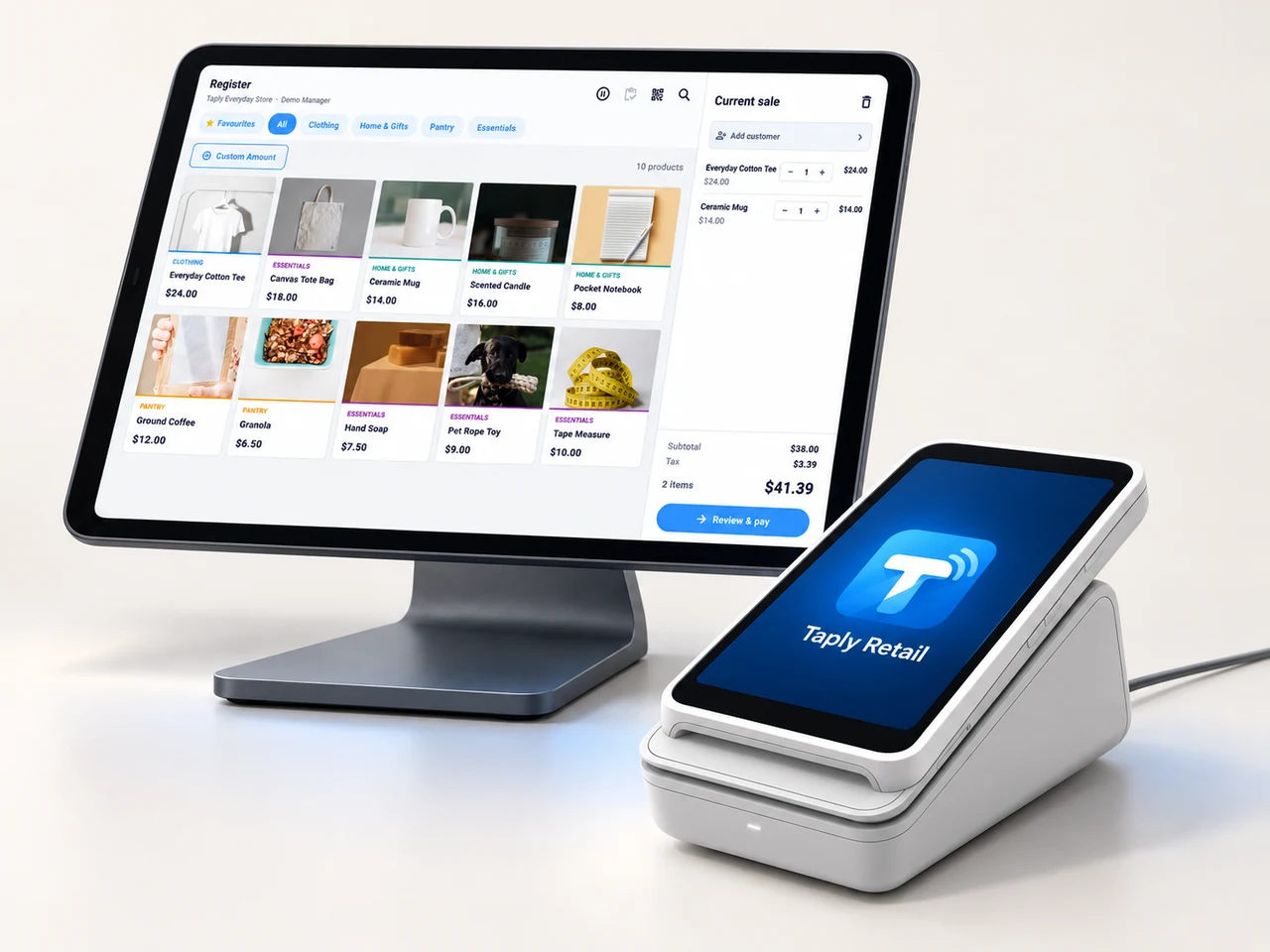
A landscape register, the right scanner and a receipt setup that fits your space. Build the counter around the way your team works.
- Review your existing equipment and connection methods.
- Confirm the reader and merchant setup before ordering.
- Keep hardware, software and payment costs itemized.
GOOD TOOLS START WITH GOOD QUESTIONS
A little preparation goes a long way.
FIELD NOTESBuyer's guide
Choose your next POS with a clear plan.
Open the resourceFIELD NOTESStock-count checklist
Give your next stock count a better start.
Open the resourceFIELD NOTESPurchase-order template
Put the next supplier order on paper.
Open the resourceFIELD NOTESMigration planning guide
Make the details part of your switch.
Open the resourceGive the next ride a great starting point.
Walk through your products, your counter and your daily routines with Taply.
Questions about your bike shop POS.
Does Taply have a service-order workflow for bike shops?
Explore Retail service orders for job intake, customer context, service status and the pickup handoff. The sample workshop on this page illustrates that workflow with fictional jobs; it does not create or update a repair.
Can I organize small parts alongside complete bikes?
Keep each sellable item identified by its product record, SKU and barcode. Review receiving units and supplier packs so a box of parts is not confused with an individual item.
What should I check for serialized bikes and warranties?
Bring serial-number, warranty and custom-build requirements into the walkthrough. Confirm the exact workflow and release support for those records rather than treating a general catalog record as proof of serialized tracking.
Can the website example reserve a workshop appointment?
No. The service example only filters fixed fictional jobs on this page. Use the demo inquiry to discuss your shop; no repair or appointment is booked by the illustration.
How does this fit a shop with several locations?
Review the Retail multi-store page for organization access, location reporting and product sharing. Store inventory movement and group permissions need their own defined workflow.
Can I manage rentals as well?
Rental scheduling, deposits, returns and damage handling need a separate product review. Bring your rental process to the team so the supported scope can be confirmed.