Jewelry store POS system
Every piece deserves a clear record.
From a considered collection to a personal purchase, keep the details of your jewelry store close to the counter with Taply Retail.
Choose a piece to explore its fictional catalog record.Sample data. No sign-in needed.
Already with Taply? Log in
A STORE THAT WORKS TOGETHER
For the care behind a considered purchase.
Individual item detail
Keep the piece, variation and SKU together.
ExploreA familiar customer
Bring purchase history into the next conversation.
ExploreCollection reporting
Review stock and product performance with context.
ExploreA clear checkout
Keep the item and customer visible at the counter.
ExploreService handoffs
Give a customer request a clear next step.
ExploreA wider collection
Plan product presentation for your online storefront.
ExploreChoose a piece to explore its fictional catalog record.
THE DETAIL BELONGS WITH THE ITEM
A considered collection.
Arc band
JWL-ARC-R07- Material
- Sterling silver
- Variation
- Size 7
- Category
- Ring
Fictional catalog record · not an appraisal or certification
The identity of each item
Find the detail that makes it theirs.
Keep material, size and the sellable item identity together. Help the team distinguish similar pieces while reviewing the quantity behind the product record.
- Give each sellable variation a distinct SKU.
- Keep useful material and size information close.
- Review the item before adding it to the sale.
A relationship beyond the occasion
Give the next visit a little more context.
Bring customer profiles and purchase history into the conversation. Keep loyalty and communication preferences clear without making assumptions about a customer's next occasion.
- Review previous purchases with the customer.
- Organize customer groups and loyalty.
- Respect consent and communication preferences.
Read the collection
Let the details inform the next decision.
Look at product performance alongside the stock you hold. Review consistent reporting periods before changing the assortment or preparing your next supplier order.
- Review product and category performance.
- Keep stock quantities in the business review.
- Compare stores within the same reporting period.
KEEP THE BIGGER PICTURE CONNECTED
Good connections.
One clear picture.
Bring accounting, payments and equipment into the conversation around your store. Explore each connection and the setup it needs.
Explore Retail connectionsClick an orbiting icon to learn more.
 Stripe payments
- Barcode scanners
- Receipt printers
 QuickBooks Online
- Retail API access
- Retail webhooks
- CSV report exports
After the purchase
Keep the customer handoff considered.
Bring a service request, customer context and next step together. Review repair, resizing or special-order requirements before adopting a workflow for valuable items.
- Capture the request and the relevant product detail.
- Review service status and the pickup handoff.
- Agree any custody, certification or appraisal requirements separately.
MADE FOR THE COUNTER
Give good service a great setup.
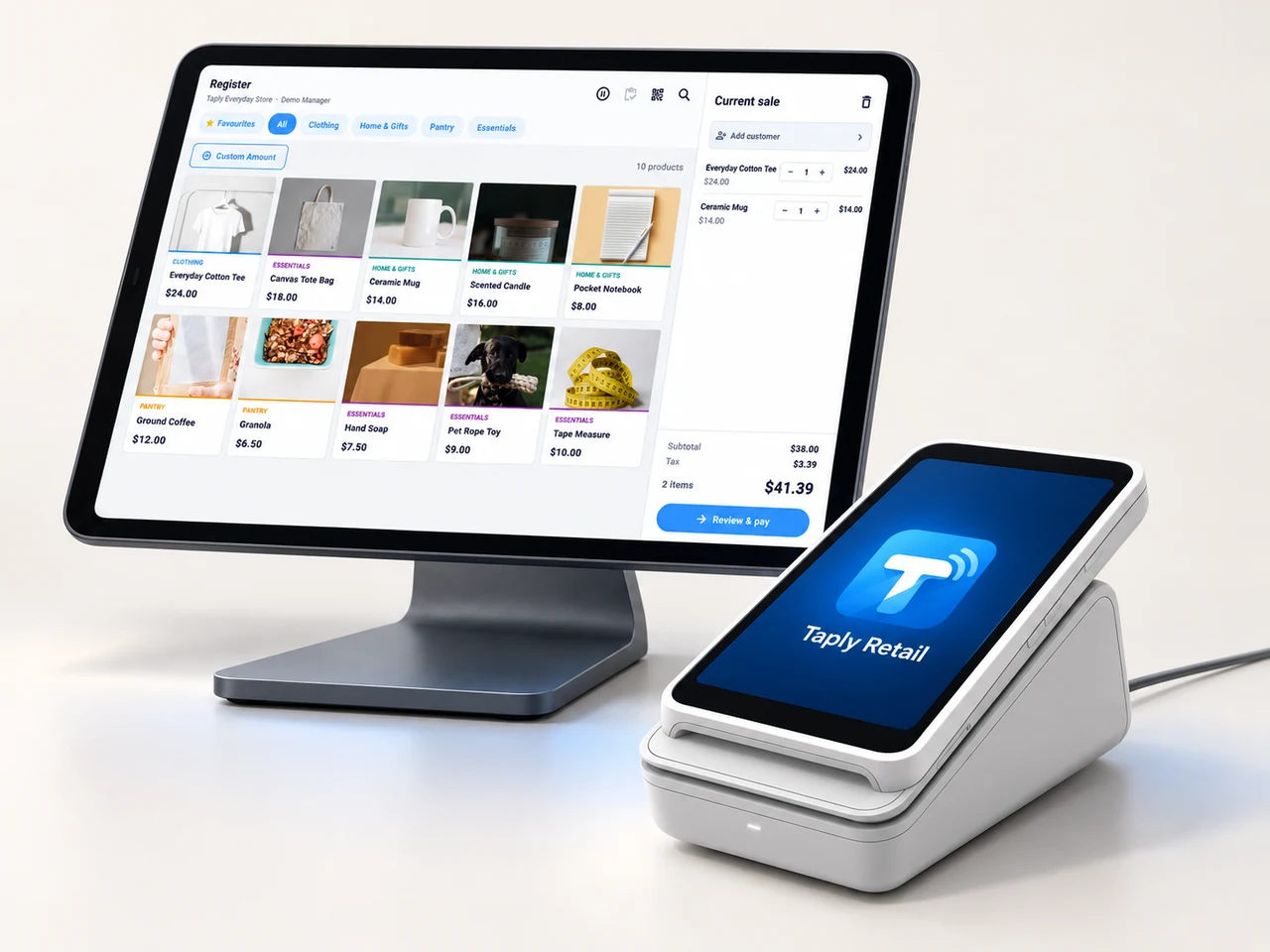
A landscape register, the right scanner and a receipt setup that fits your space. Build the counter around the way your team works.
- Review your existing equipment and connection methods.
- Confirm the reader and merchant setup before ordering.
- Keep hardware, software and payment costs itemized.
GOOD TOOLS START WITH GOOD QUESTIONS
A little preparation goes a long way.
FIELD NOTESBuyer's guide
Choose your next POS with a clear plan.
Open the resourceFIELD NOTESStock-count checklist
Give your next stock count a better start.
Open the resourceFIELD NOTESPurchase-order template
Put the next supplier order on paper.
Open the resourceFIELD NOTESMigration planning guide
Make the details part of your switch.
Open the resourceGive the collection a setup with the same care.
Walk through your products, your counter and your daily routines with Taply.
Questions about your jewelry store POS.
Can I identify different sizes and materials?
Use distinct product records and SKUs for the individual items you sell. Bring your product naming, size, material and barcode requirements into the walkthrough.
Does this include appraisals or certified gemstone records?
The fictional example is a general catalog record. It does not demonstrate appraisals, gemstone certification, precious-metal valuation, serialized custody or consignment accounting. Those require a separate review.
Can I review repair and resizing workflows?
Yes, bring your intake, status and pickup requirements to the demo. Review the exact supported service-order flow and any specialist item-custody requirements together.
Is the piece selector connected to inventory?
No. It displays fixed, fictional examples and does not read, reserve or change stock.